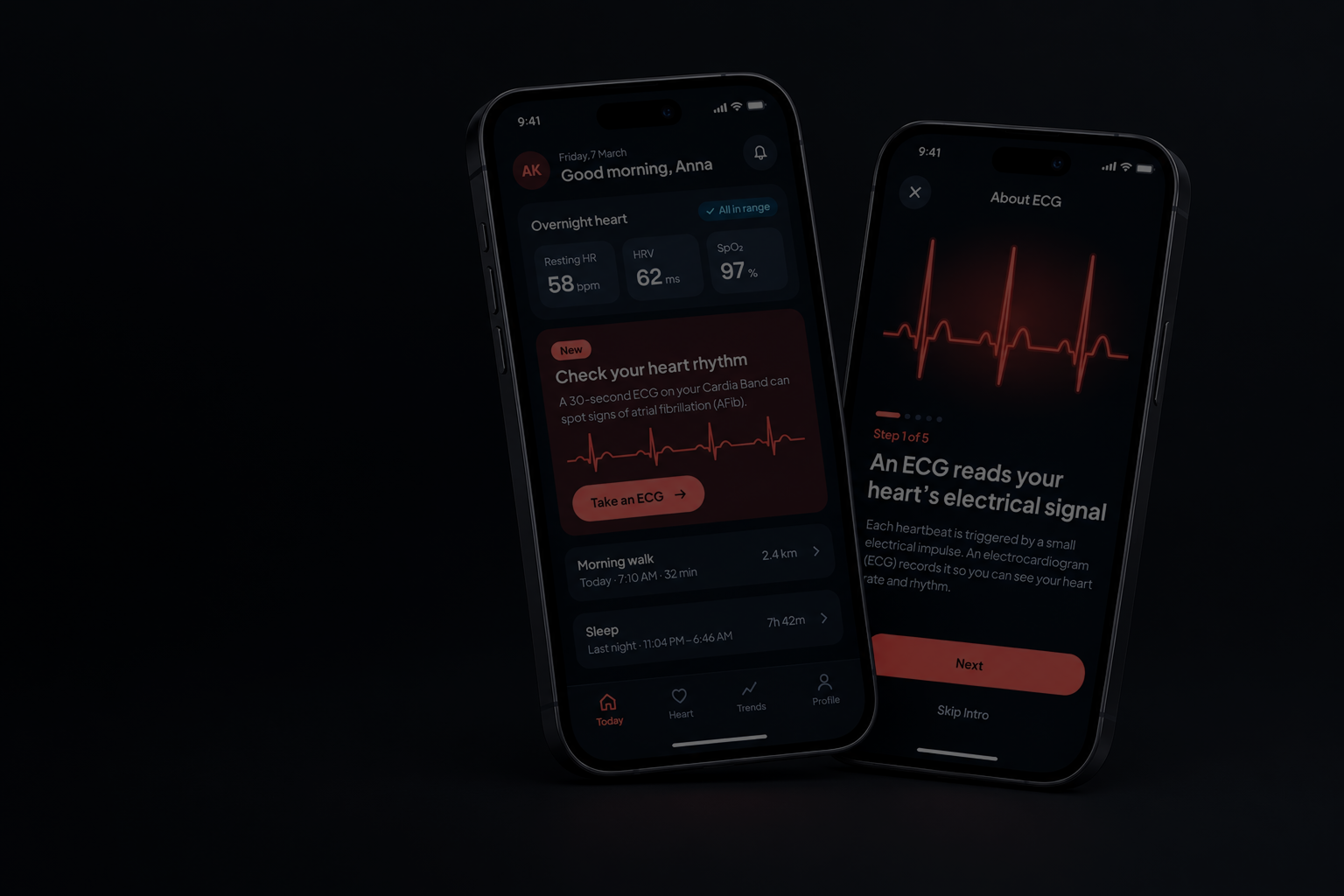
CardiaApp
Context
Cardia is a wearable ECG app. This project evaluated it through user testing, design strategy and validation planning for regulatory review.
Problem
New features turned Cardia into a regulated medical device. Before submission, we had to find the usability issues that could lead to harm.
The Goal
Validate the app’s core usability. The FDA requires usability testing, so every finding had to support a concrete design decision.
My Role
I led the project end to end: analysis and strategy, prototyping, test documentation, the usability studies and the final report.
01 / Overview
Let’s get to know the app
The app overview
I started by exploring Cardia, a wearable ECG app designed to help people better understand and manage their heart health. The app allows users to record their heart rate and rhythm, making it easier to track their readings and share insights with their clinicians. My goal was to understand the product, its users, and the challenges they face before diving into the UX design process.
02 / Planning
... and establish the process
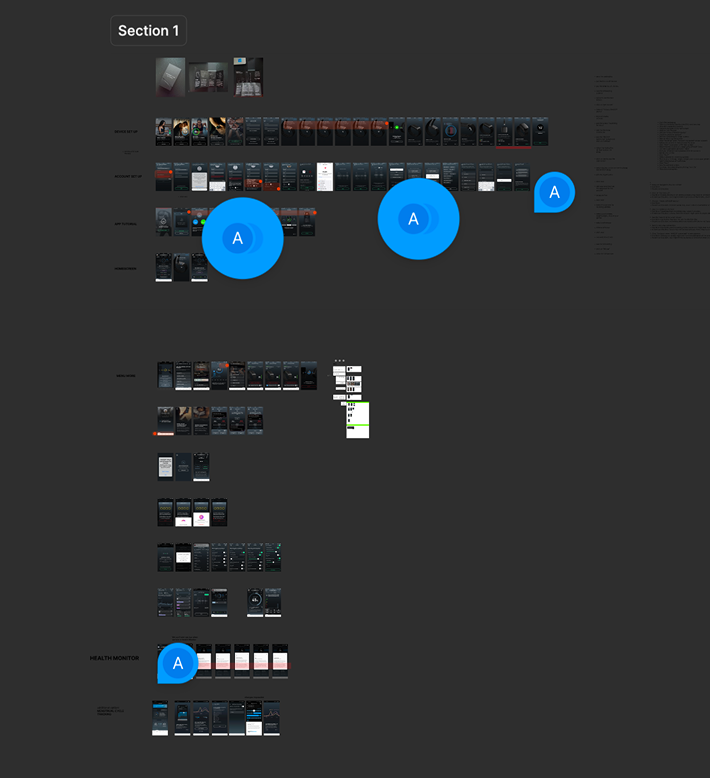
The study followed eight steps, from regulatory review to an implementation-ready design. Open the timeline for the official version, then hover over a step for the real story.
03 / Feature assessment
Heuristic analysis
We audited the existing Cardia experience and assessed its most critical user journeys. By reviewing earlier research and mapping how people used the app, we found where it could be simpler without losing its core value.
04 / Scenarios selection
Selected screens and test scenarios
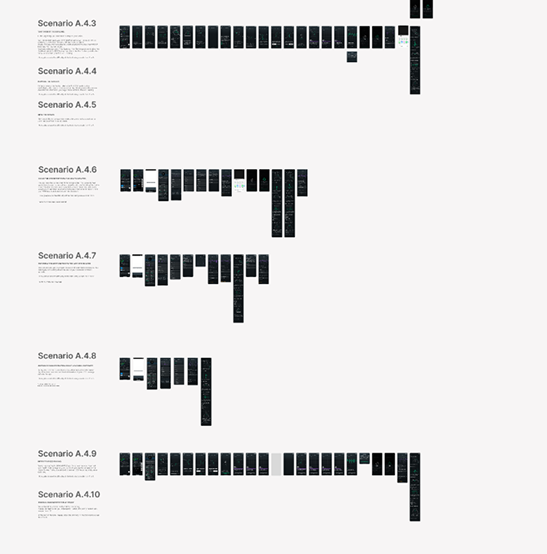
Because the final screens are confidential, I created low-fidelity concepts to illustrate the app’s key flows in this case study. The study covered ten tasks (A.4.1–A.4.10), grouped below into seven scenarios that follow ECG discovery, interpretation, history and sharing across the Cardia app. Each scenario lists its task numbers and mean difficulty rating (1 = very easy, 5 = very difficult), together with the screens people used to complete it.
A.4.1
A.4.3Take your first ECG reading
First use · difficulty 1.8 / 1.5With the app set up and the strap on your wrist, locate the ECG feature and complete your first reading.
1Home · ECG entry point 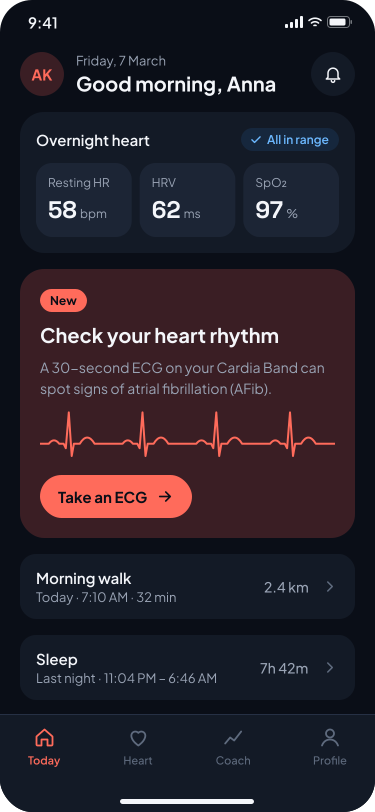
2Intro · What is an ECG 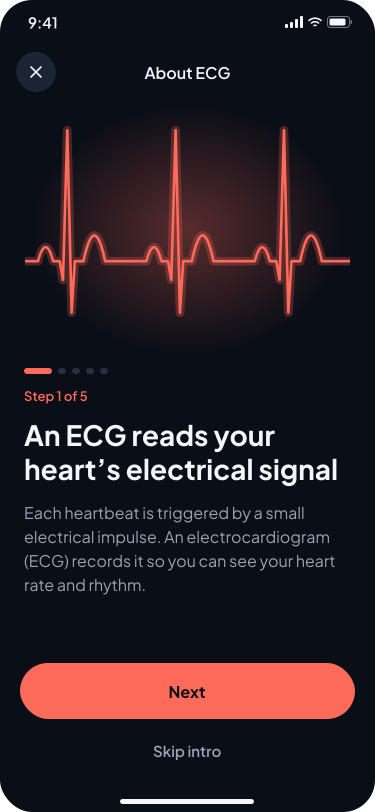
3Intro · How it works 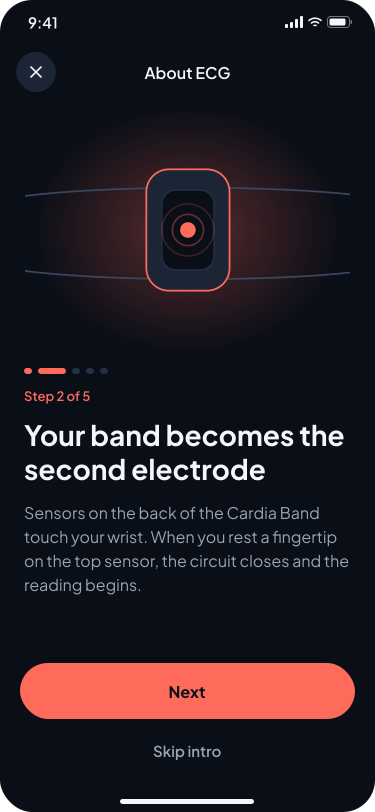
4Intro · Why it matters 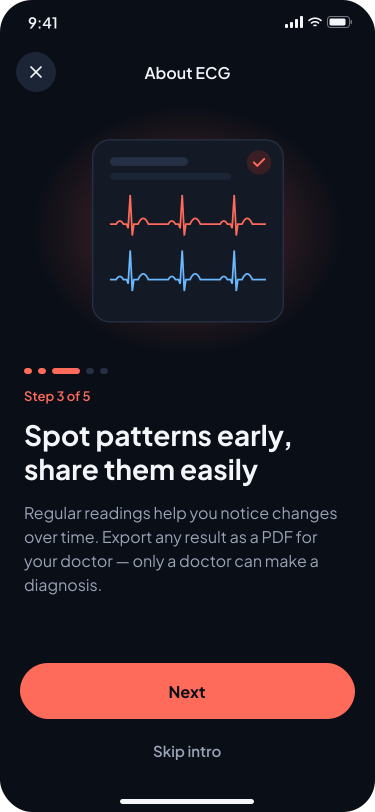
5Intro · Understanding results 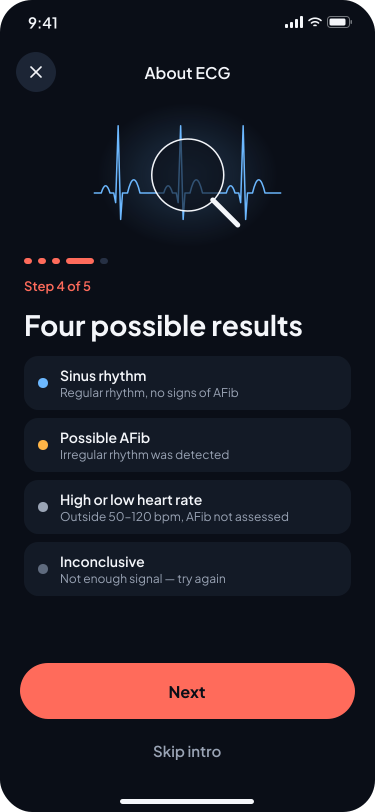
6Intro · Good to know 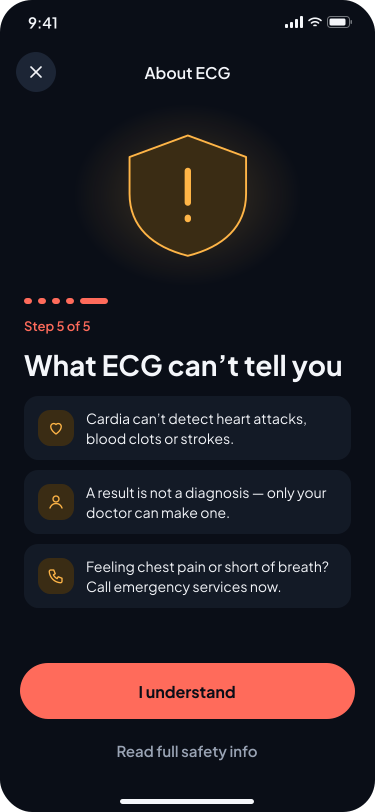
7Eligibility check 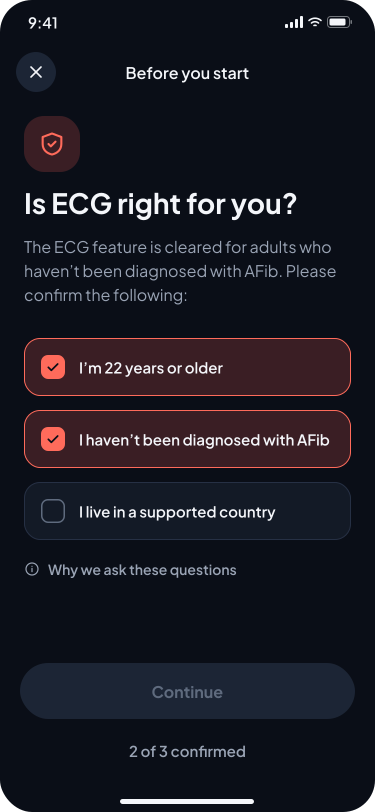
8Prep · Position the band 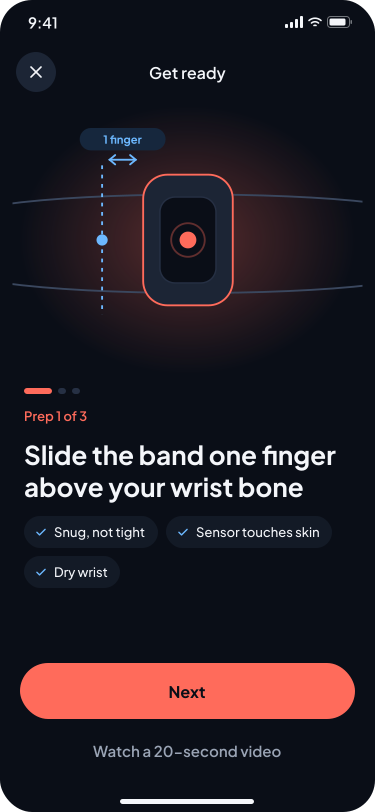
9Prep · Choose wrist 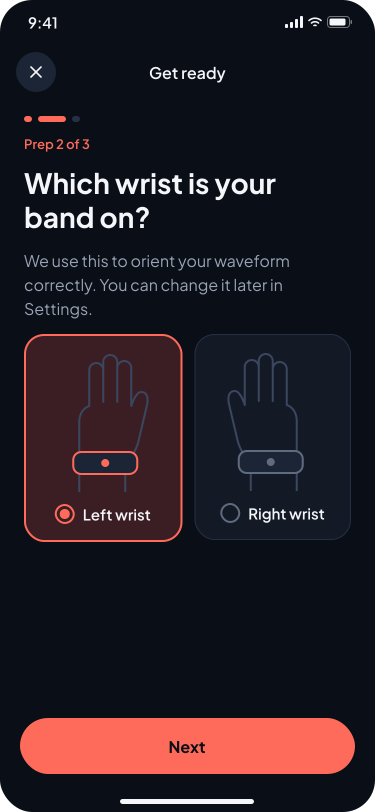
10Reading · Touch the sensor 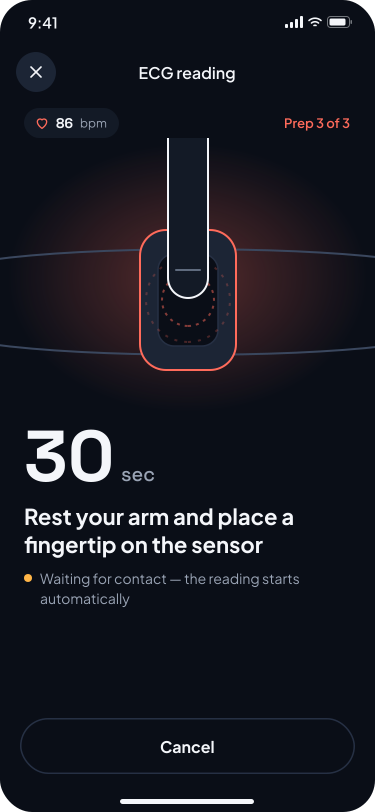
11Reading · In progress 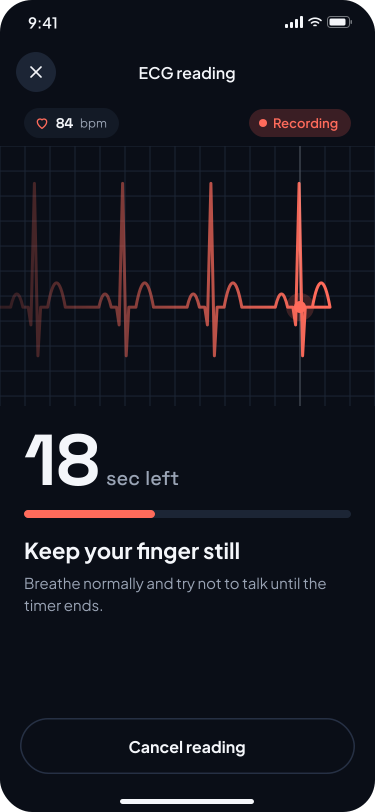
12Symptoms · Add context 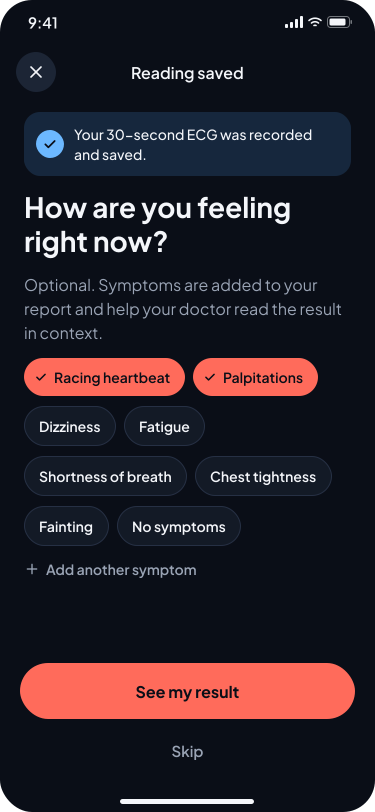
13Result · Sinus rhythm 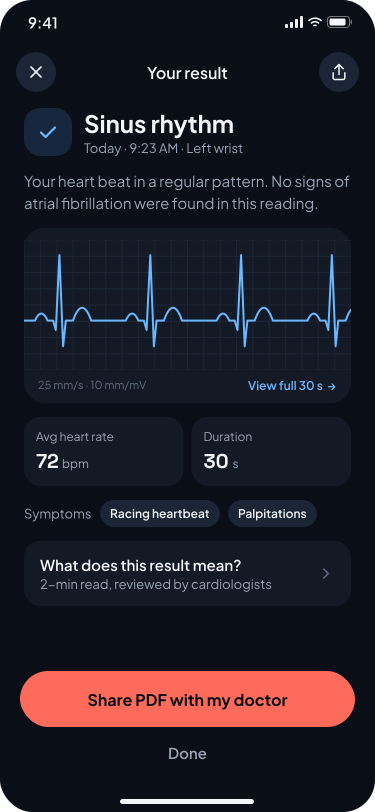
A.4.2
A.4.4Interpret the results
Comprehension · difficulty 1.3Review the result of your first ECG reading and explain what the information on screen means.
1 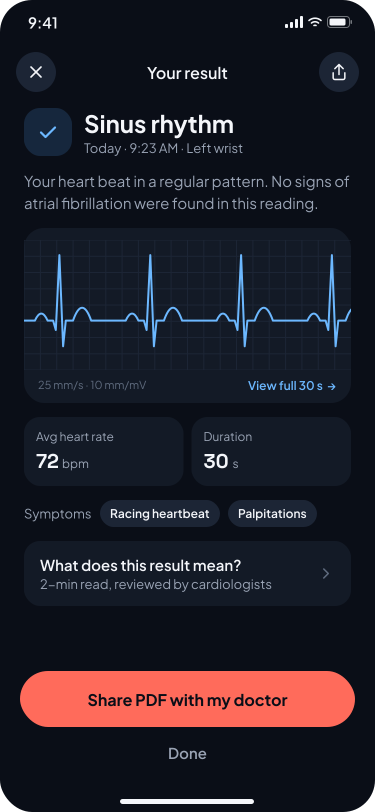
A.4.5
Email an ECG report
Sharing · difficulty 1.3Find your ECG report and send it to your cardiologist by email.
1 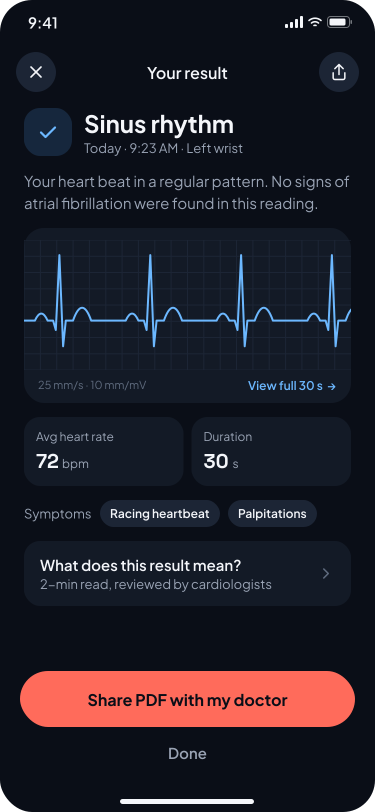
2 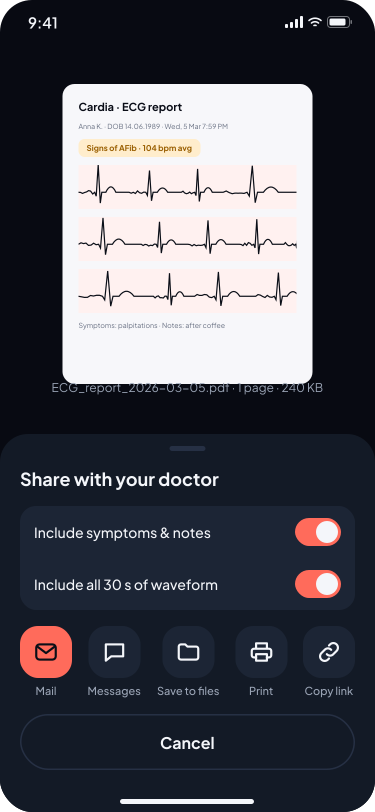
A.4.6
Share an AFib result from the heart data hub
Health section · difficulty 3.1From the heart data hub, find an atrial fibrillation (AFib) result and share the record with your cardiologist.
1 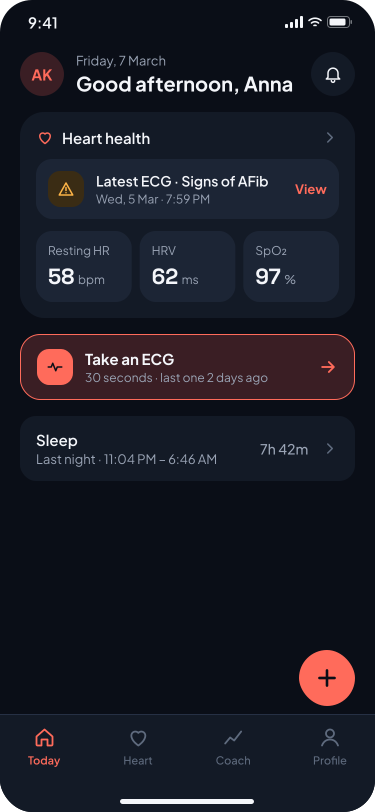
2 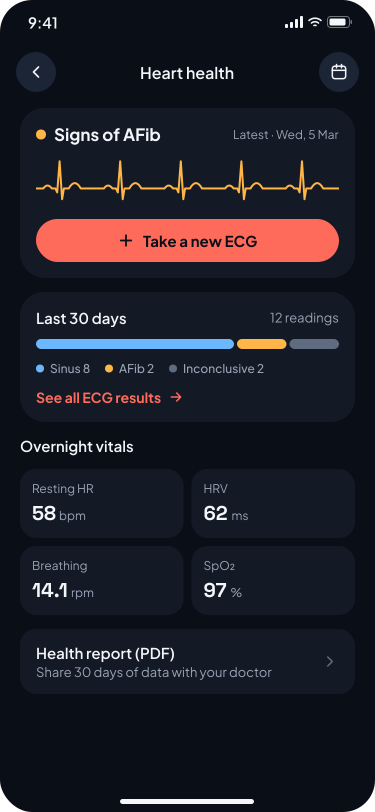
3 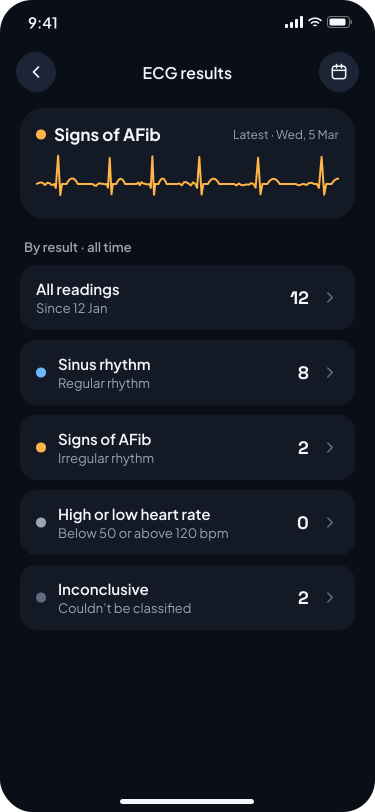
4 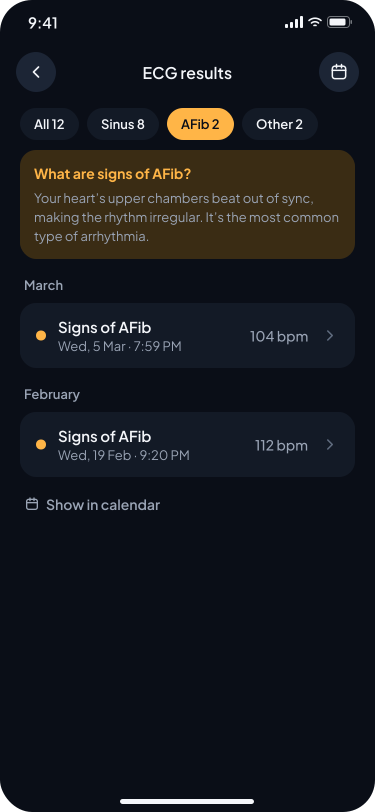
5 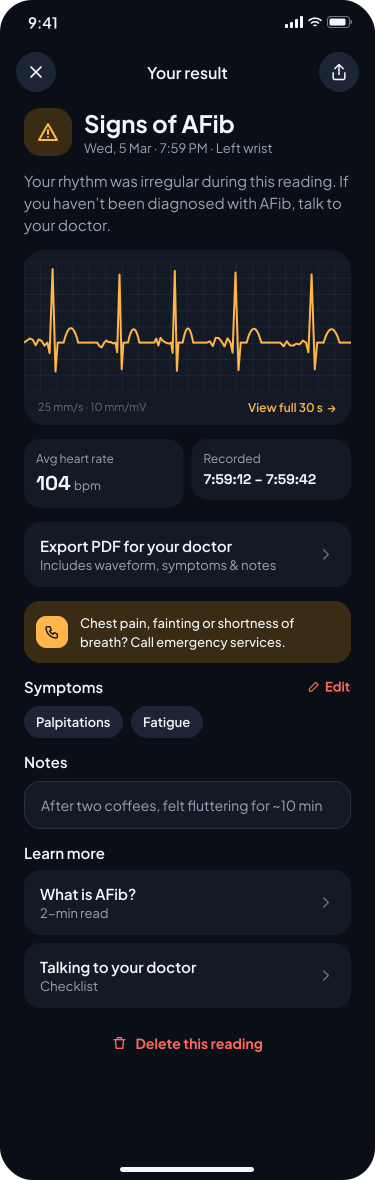
6 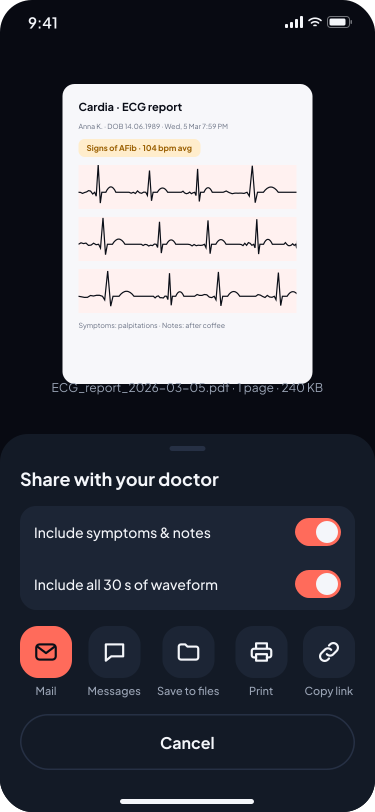
A.4.7
A.4.8Locate events in ECG history
Two subtasks · difficulty 2.6 / 1.8Use the ECG history to find the information requested during a call with your doctor: the date of the last AFib episode and the count of high/low heart rate results.
- AFind the date of your latest atrial fibrillation episode.
1 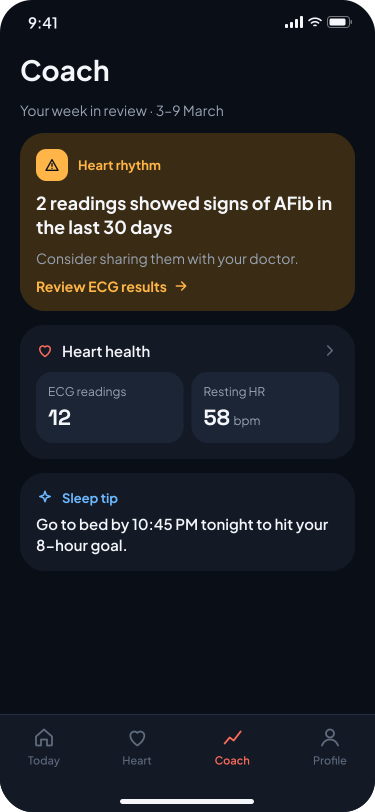
2 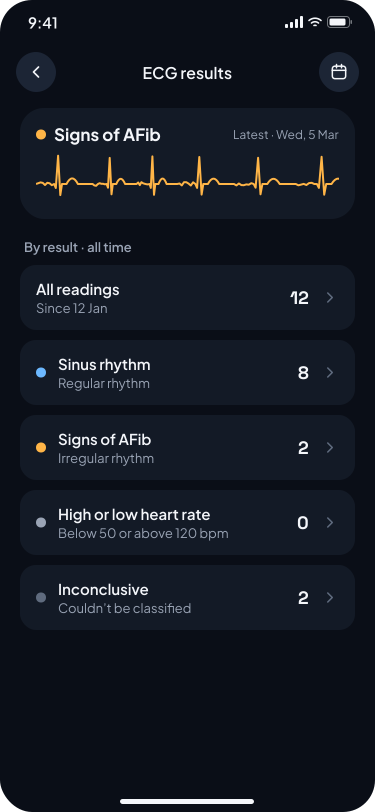
3 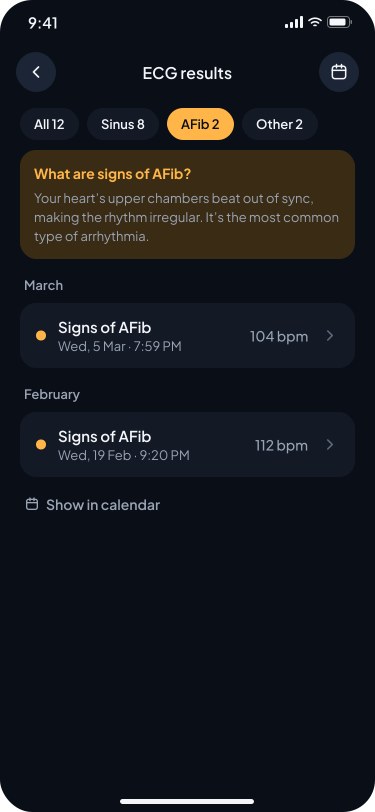
- BFind low and high heart-rate events, plus the total number of ECG readings.
1 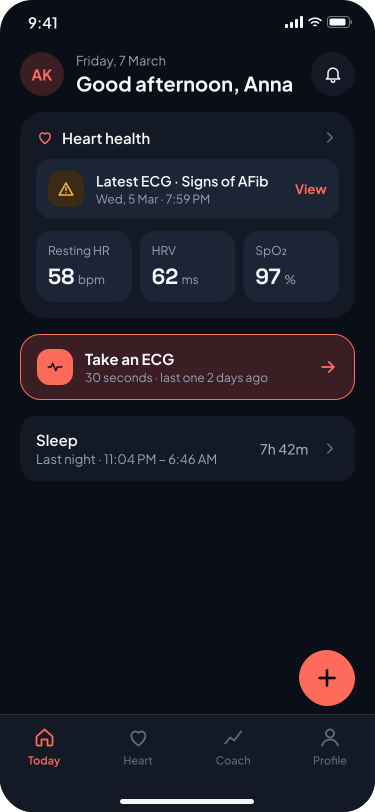
2 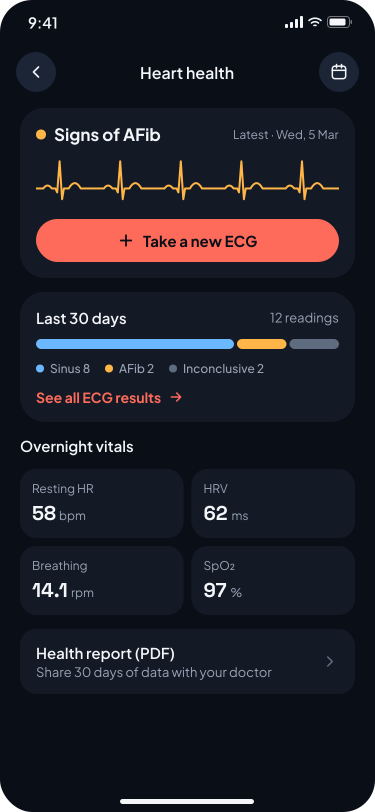
3 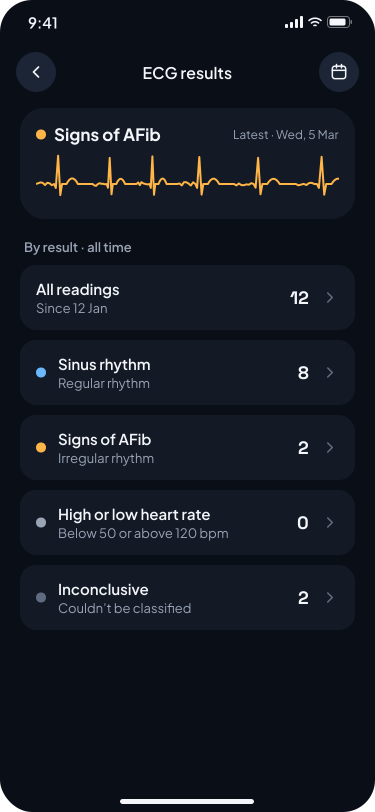
4 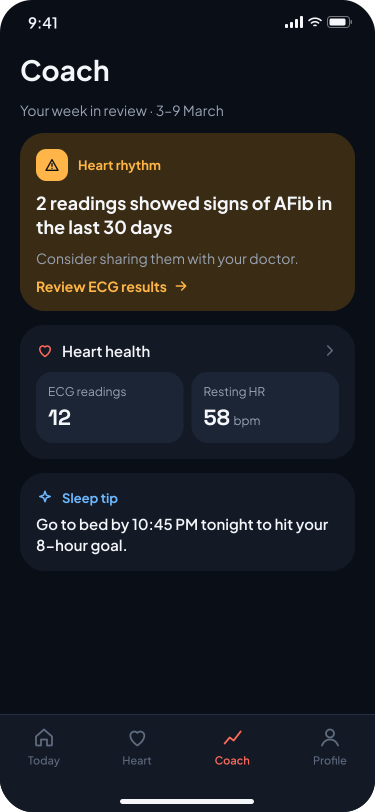
5 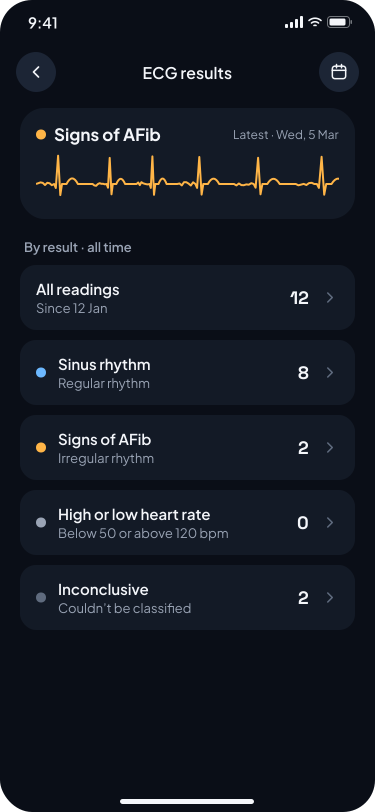
A.4.9
Repeat an ECG reading
Repeat use · difficulty 1.4As a returning user, start and complete another ECG reading from the app.
1 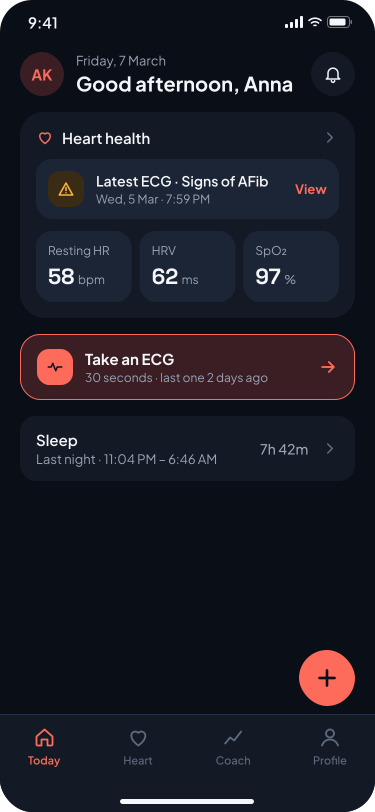
2 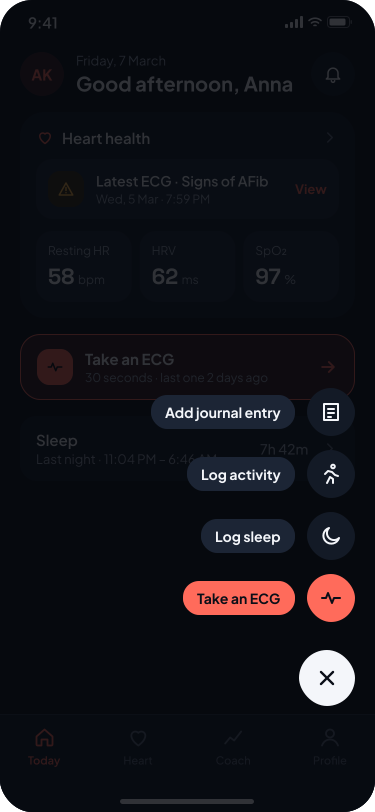
3 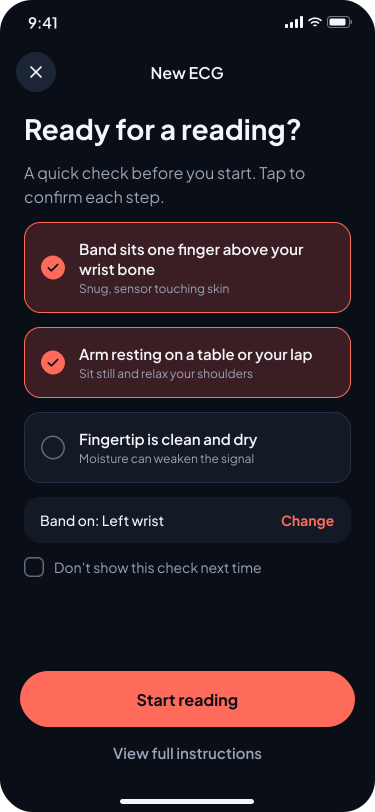
4 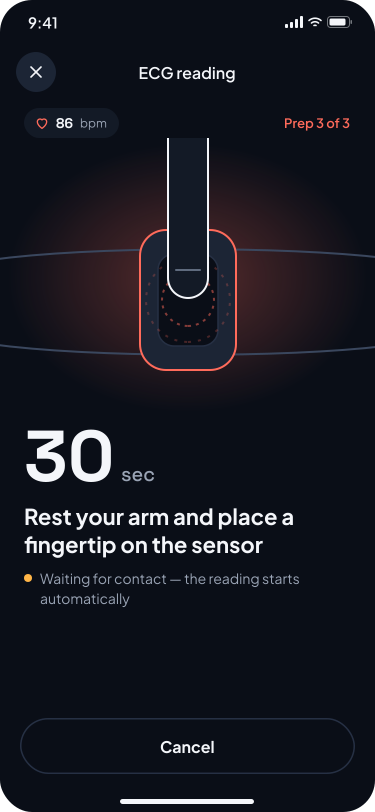
5 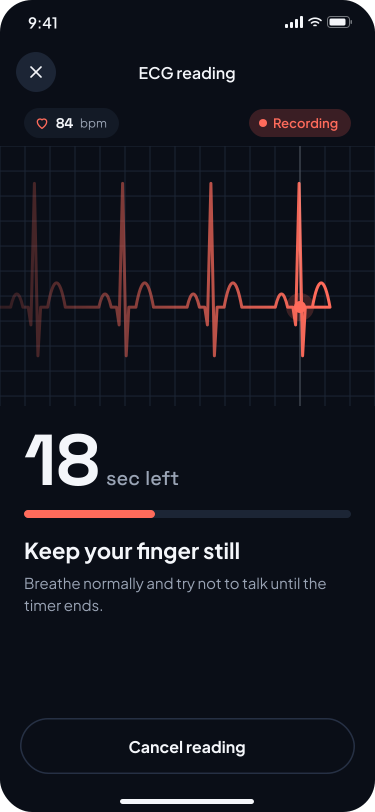
6 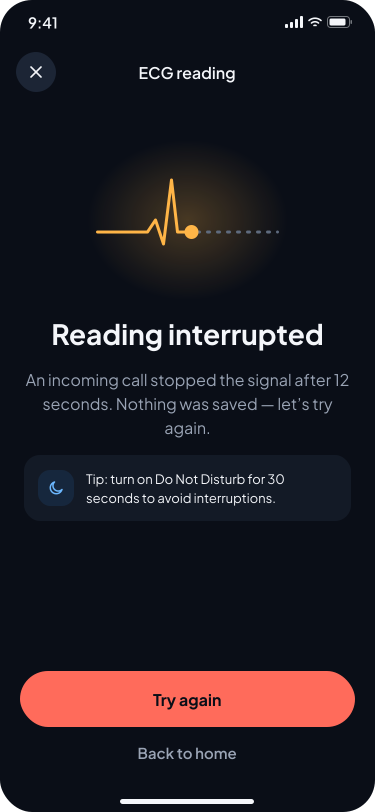
7 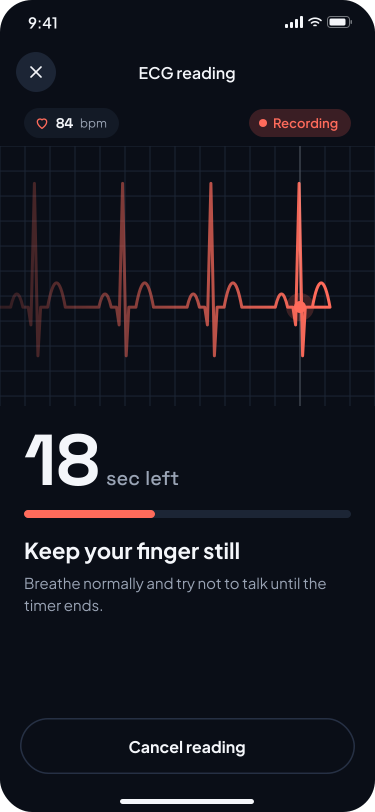
8 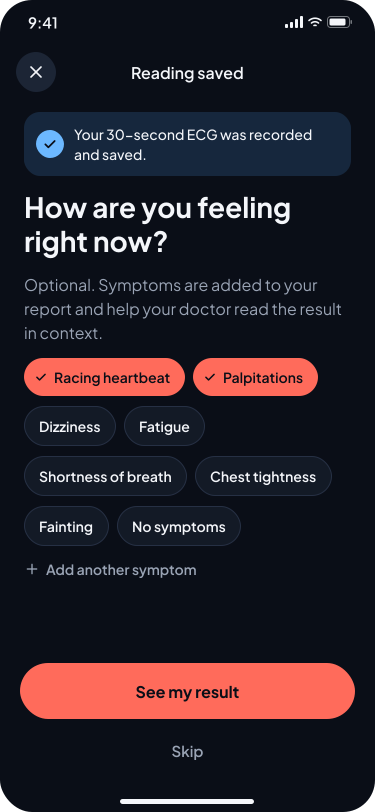
9 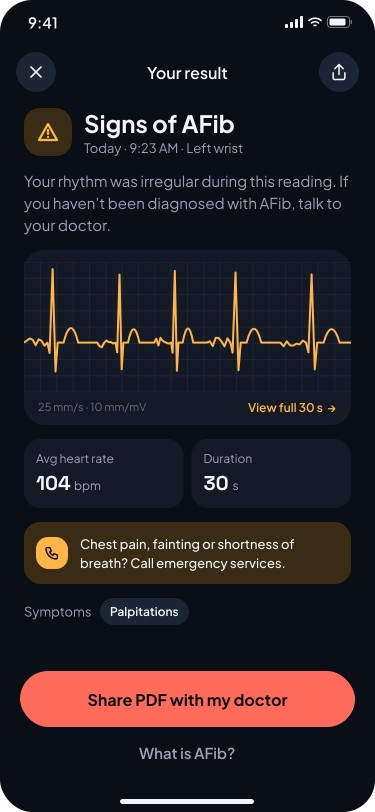
A.4.10
Review an AFib reading
AFib result · difficulty 1.3Review a reading marked as atrial fibrillation (AFib) and explain how you understand the result and its supporting information.
1 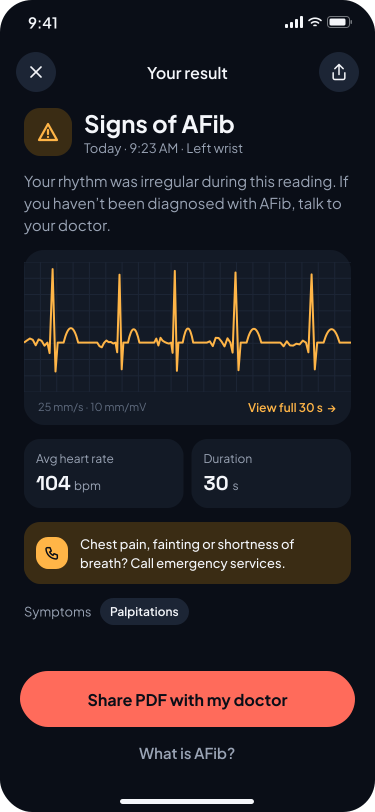
2 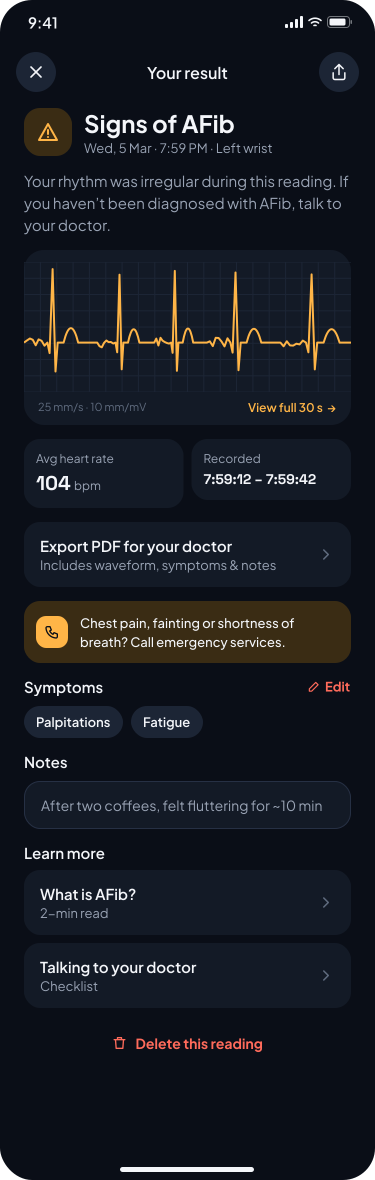
05 / Study design
Methodology and testing sessions
21
Participants
10
Tasks
3
User groups
5
Days of sessions
1–5
Difficulty scale
Simulated-use testing
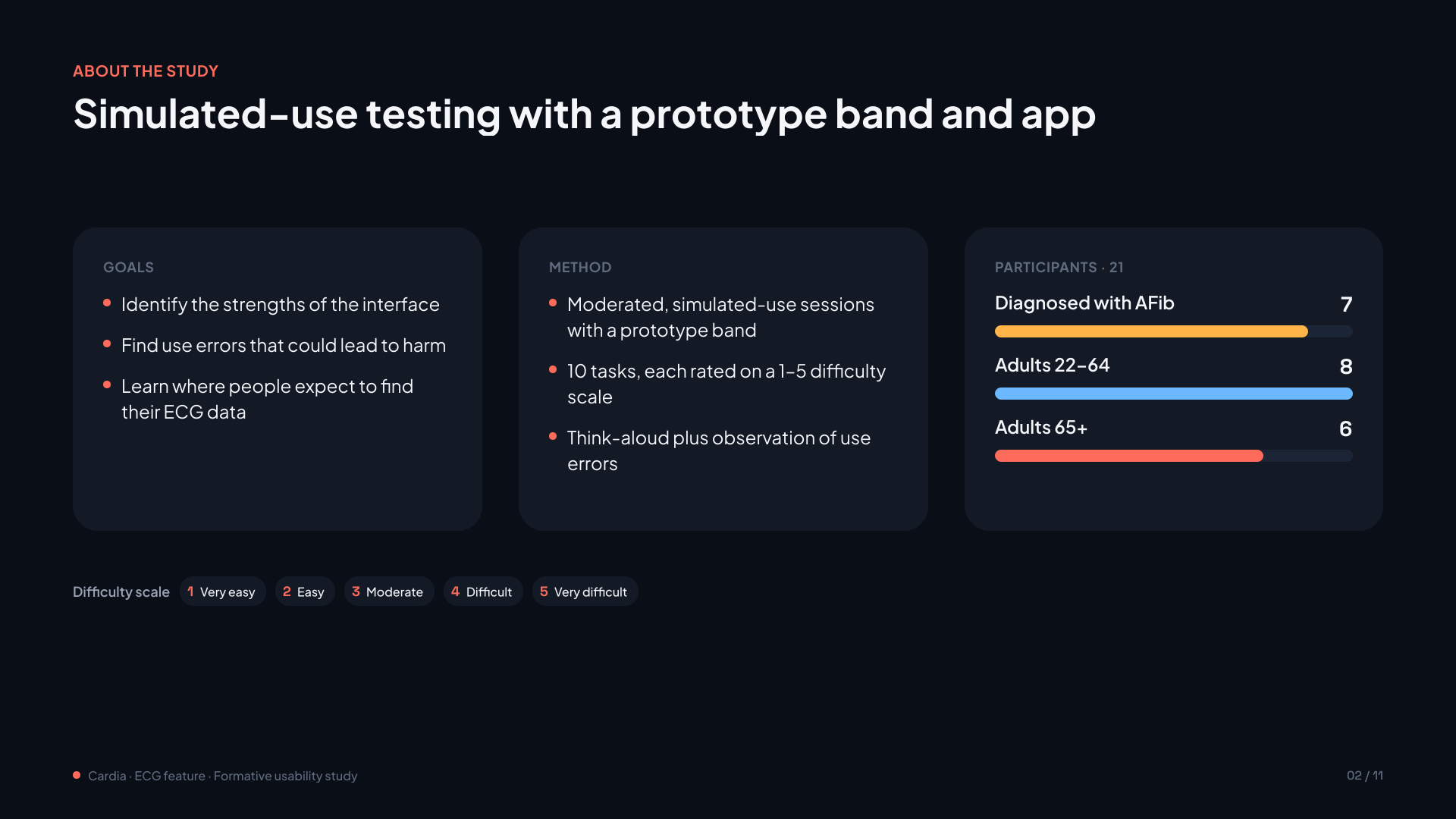
Moderated, simulated-use sessions with a prototype band and app. Participants completed 10 tasks, rated each on a 1–5 difficulty scale and thought aloud while the moderator observed use errors.
User groups
Diagnosed with AFib: 7 people
Adults 22–64: 8 people
Adults 65+: 6 people
Location
Dry run: 5 people (online)
Formative testing: In person (USA)
Study goals
Identify the strengths of the interface, find use errors that could lead to harm, and learn where people expect to find their ECG data.
06 / Study results
Study results
A simulated-use study of the ECG feature and wearable sensor, tracing how people find, interpret, repeat and share readings.
Difficulty rate
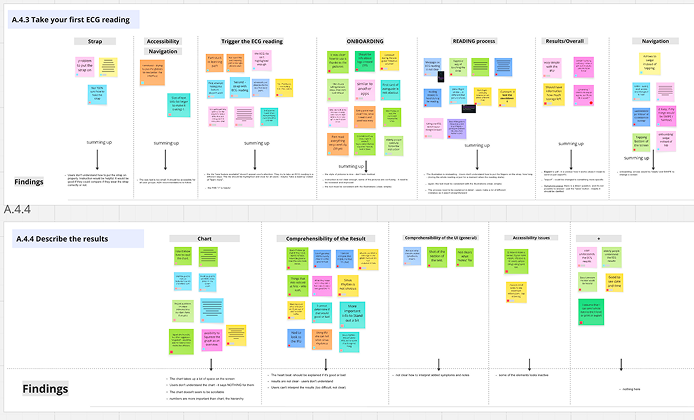
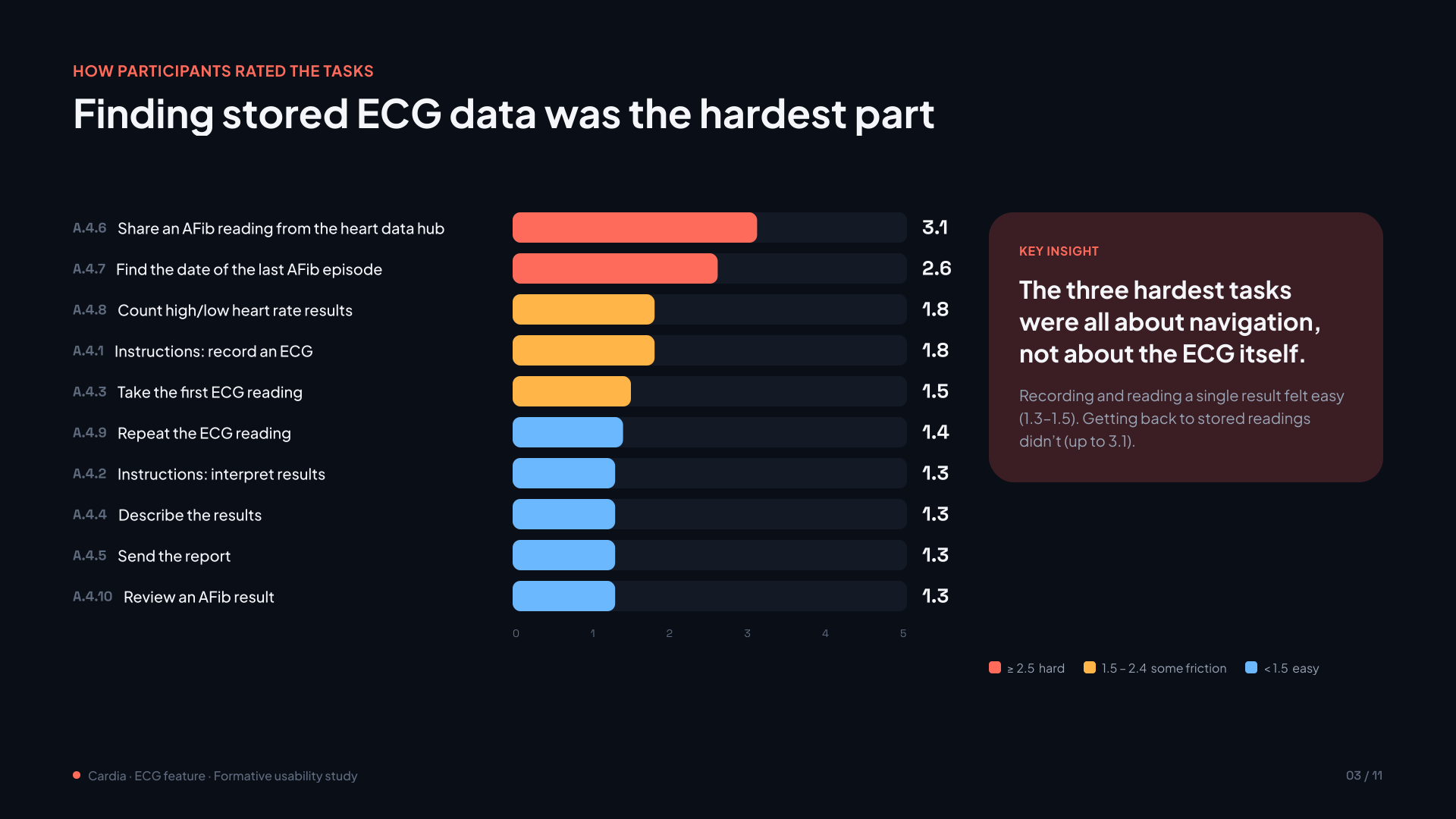
3.1The hardest tasks were all about finding stored ECG data, not about the ECG itself. Recording and reading a single result felt easy (1.3–1.5); getting back to stored readings did not (up to 3.1).
Users rated each task on a 5-point scale, where 1 indicated “very easy” and 5 indicated “very difficult.” The figure above summarizes the results.
Main findings
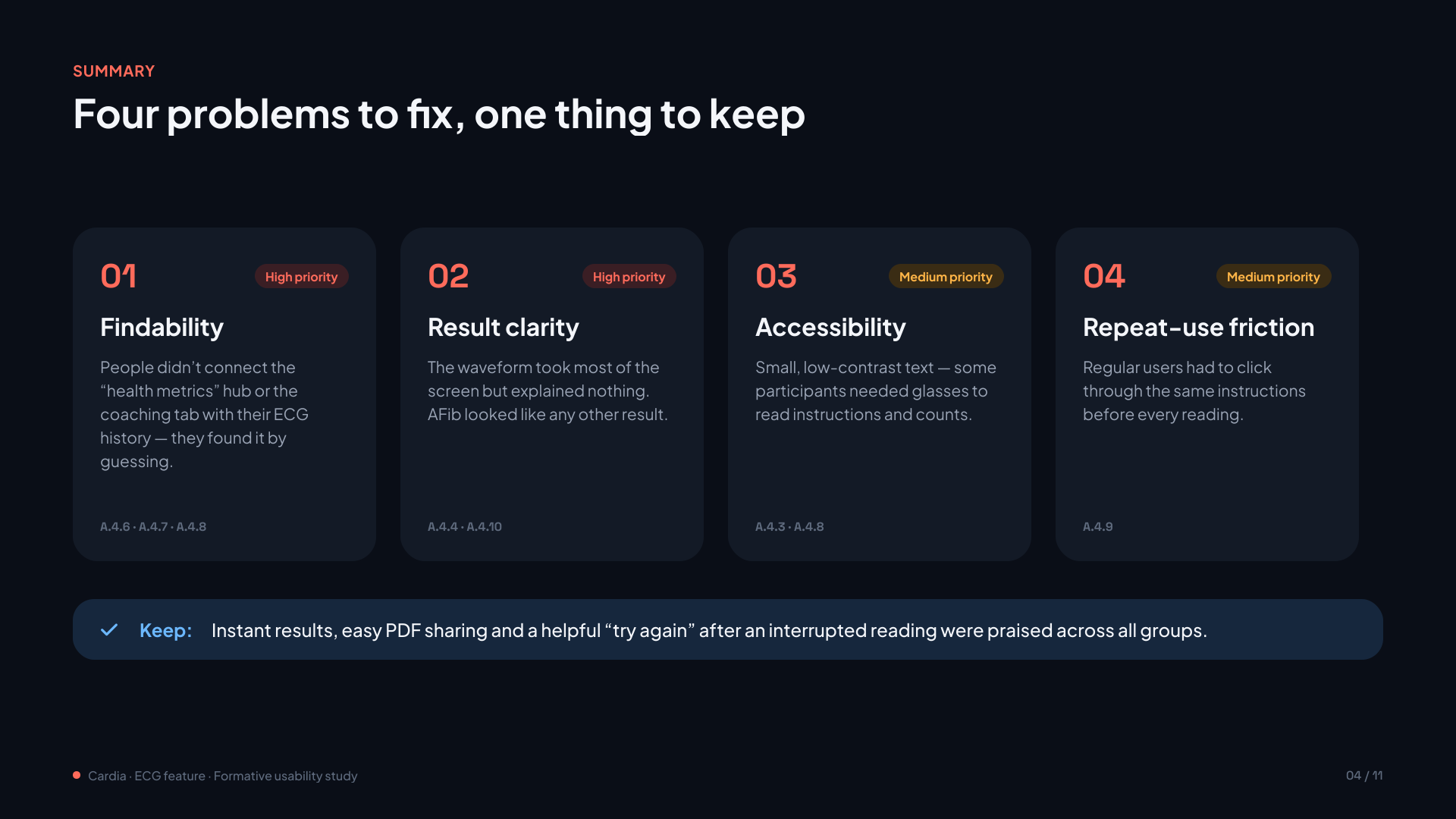
Finding 01High priority
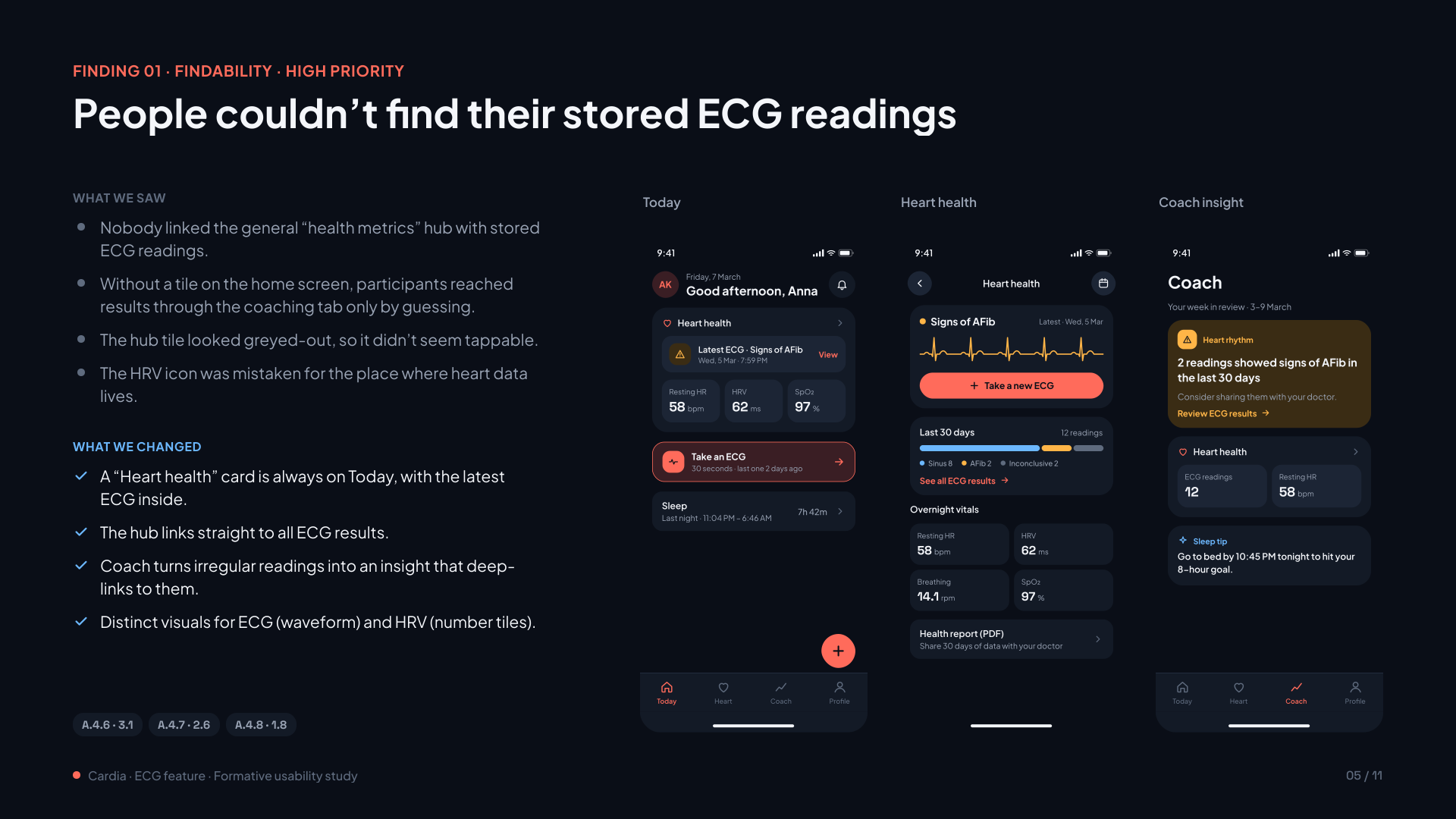
People couldn’t find their stored ECG readings
They didn’t connect the health metrics hub or the coaching tab with their ECG history, and found it by guessing.
A.4.6 · A.4.7 · A.4.8
Finding 02High priority
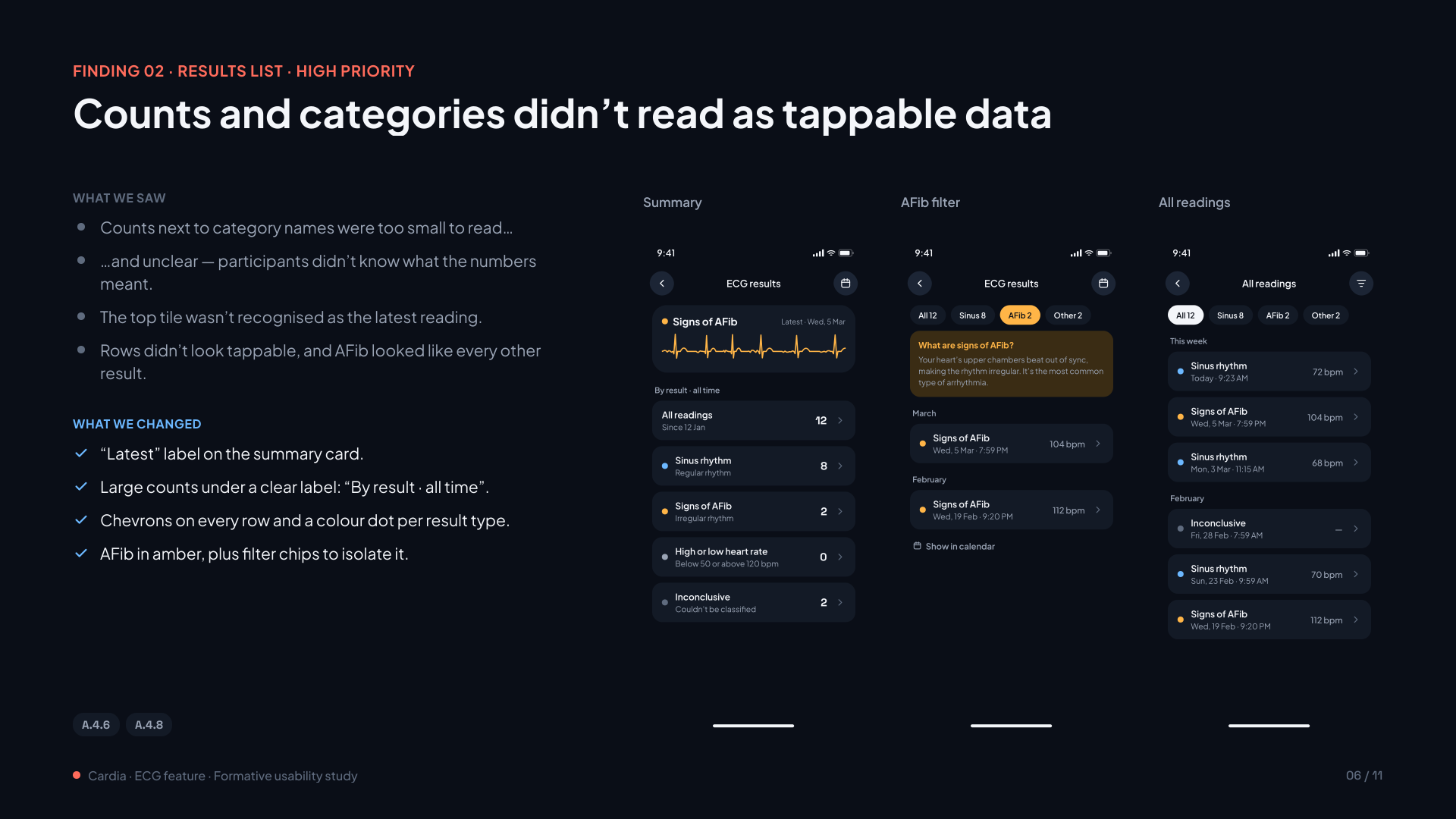
Counts and categories didn’t read as tappable data
Counts were too small to read, the latest reading wasn’t recognised, and AFib looked like every other result.
A.4.6 · A.4.8
Finding 03High priority
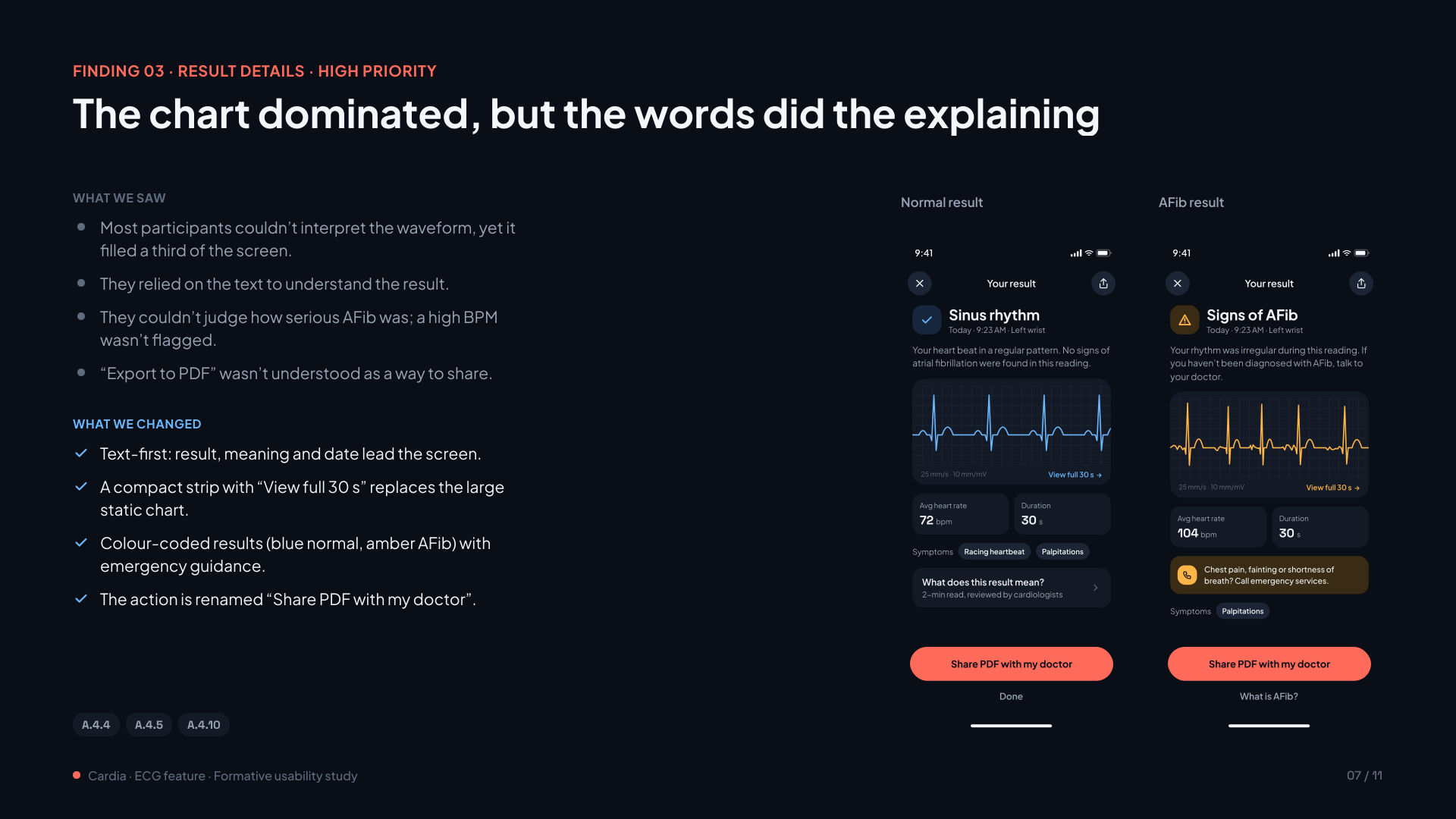
The chart dominated, but the words did the explaining
Most participants couldn’t interpret the waveform, yet it filled a third of the screen. They relied on the text.
A.4.4 · A.4.5 · A.4.10
Finding 04Medium priority
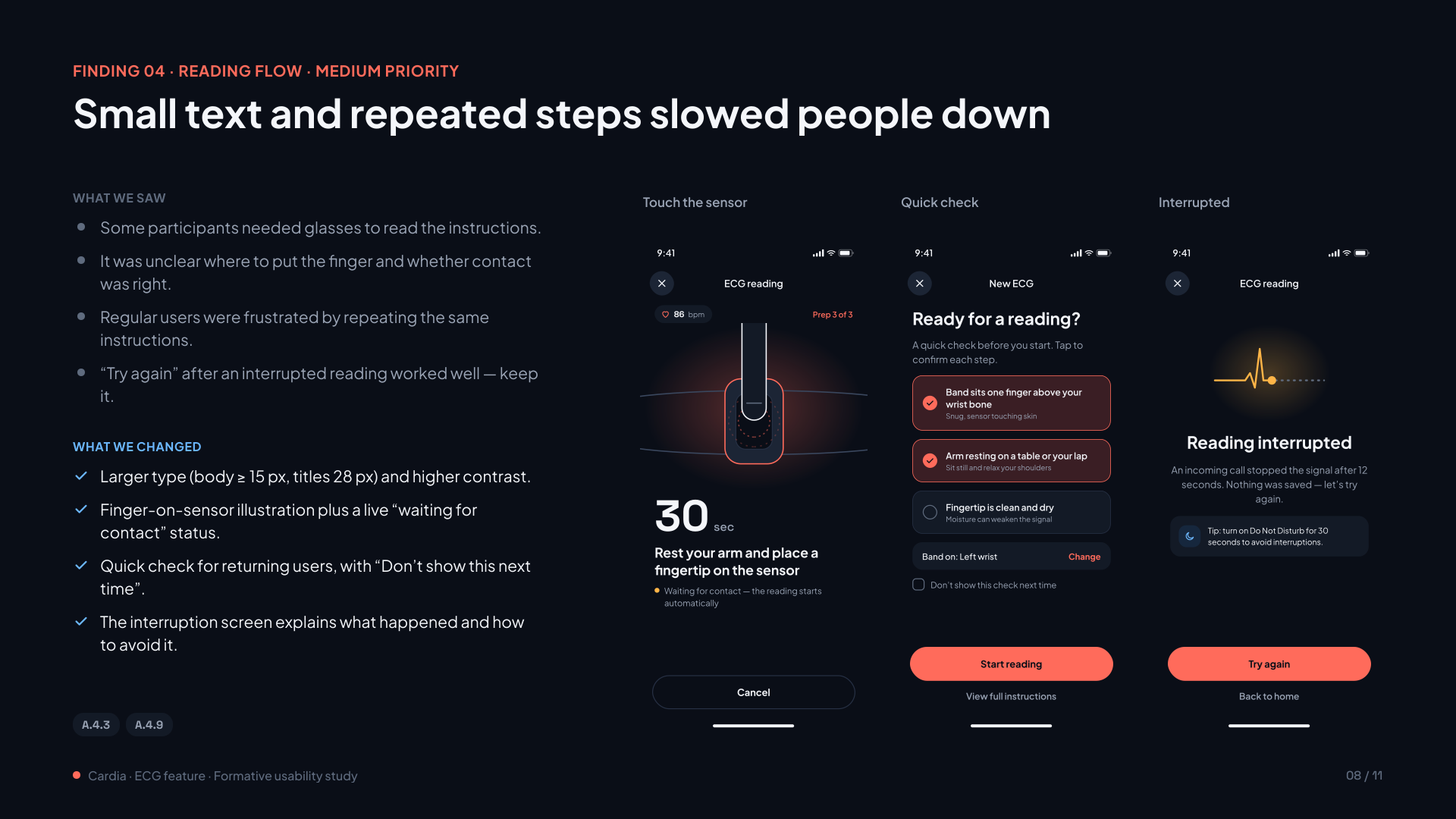
Small text and repeated steps slowed people down
Some participants needed glasses to read the instructions, and regular users repeated the same steps before every reading.
A.4.3 · A.4.9
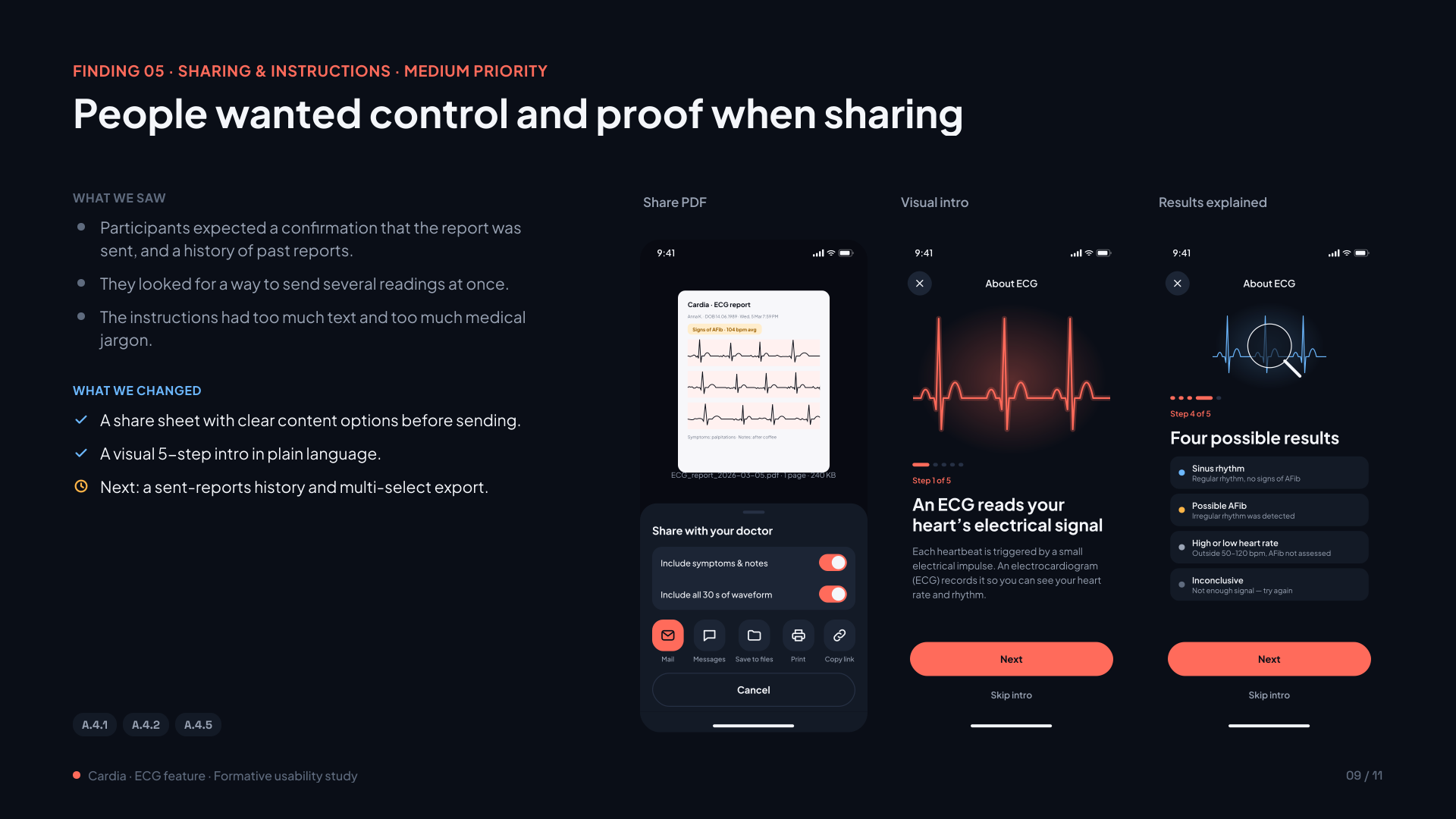
Finding 05Medium priority
People wanted control and proof when sharing
Participants expected a confirmation that the report was sent and a history of past reports. The instructions had too much text and jargon.
A.4.1 · A.4.2 · A.4.5
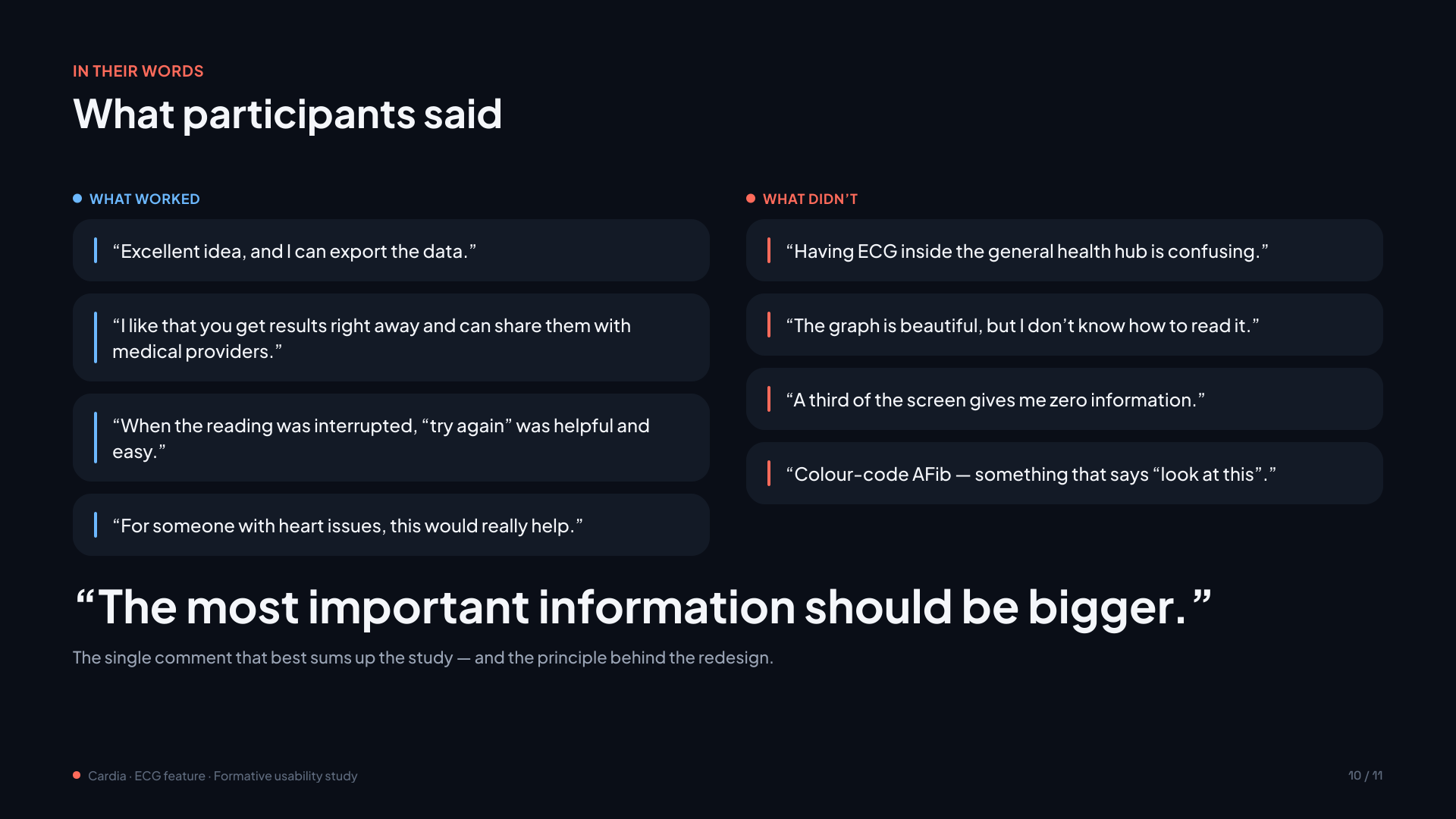
“I like that you get results right away and can share them with medical providers.” — Participant voice
Keep:instant results, easy PDF sharing and a helpful “try again” after an interrupted reading were praised across all groups.
07 / Results
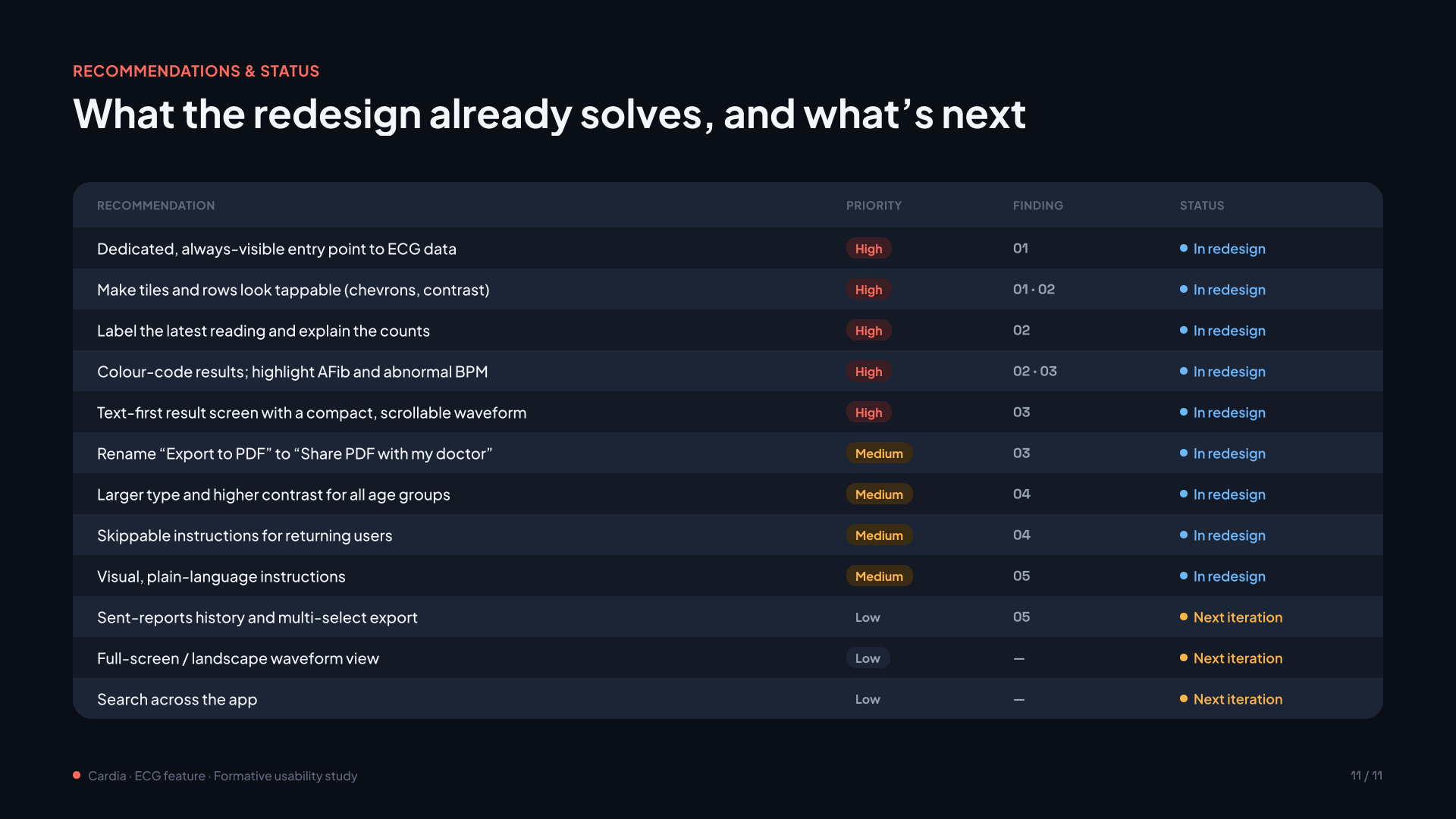
Recommendations
Each pattern in the evidence became a specific change to information architecture, labels or flow, shown here as low-fidelity concepts.
01
Give ECG a stable home
Risk: People didn’t connect the health metrics hub or the coaching tab with their ECG history.
Recommendation: Add a dedicated, always-visible entry point to ECG data, and make tiles and rows look tappable.
02
Lead with meaning, then detail
Risk: The waveform took most of the screen but explained nothing, and AFib looked like any other result.
Recommendation: Lead with a text-first, colour-coded result (highlighting AFib and abnormal BPM) and a compact, scrollable waveform.
03
Make sharing explicit and accountable
Risk: “Export to PDF” wasn’t understood as a way to share, and people wanted proof of what was sent.
Recommendation: Rename it “Share PDF with my doctor” and add a share sheet with clear content options. Sent-reports history is next.
04
Support both confidence and speed
Risk: Regular users had to click through the same instructions before every reading.
Recommendation: Offer skippable instructions for returning users, plus larger type and higher contrast for all age groups.
Full usability report
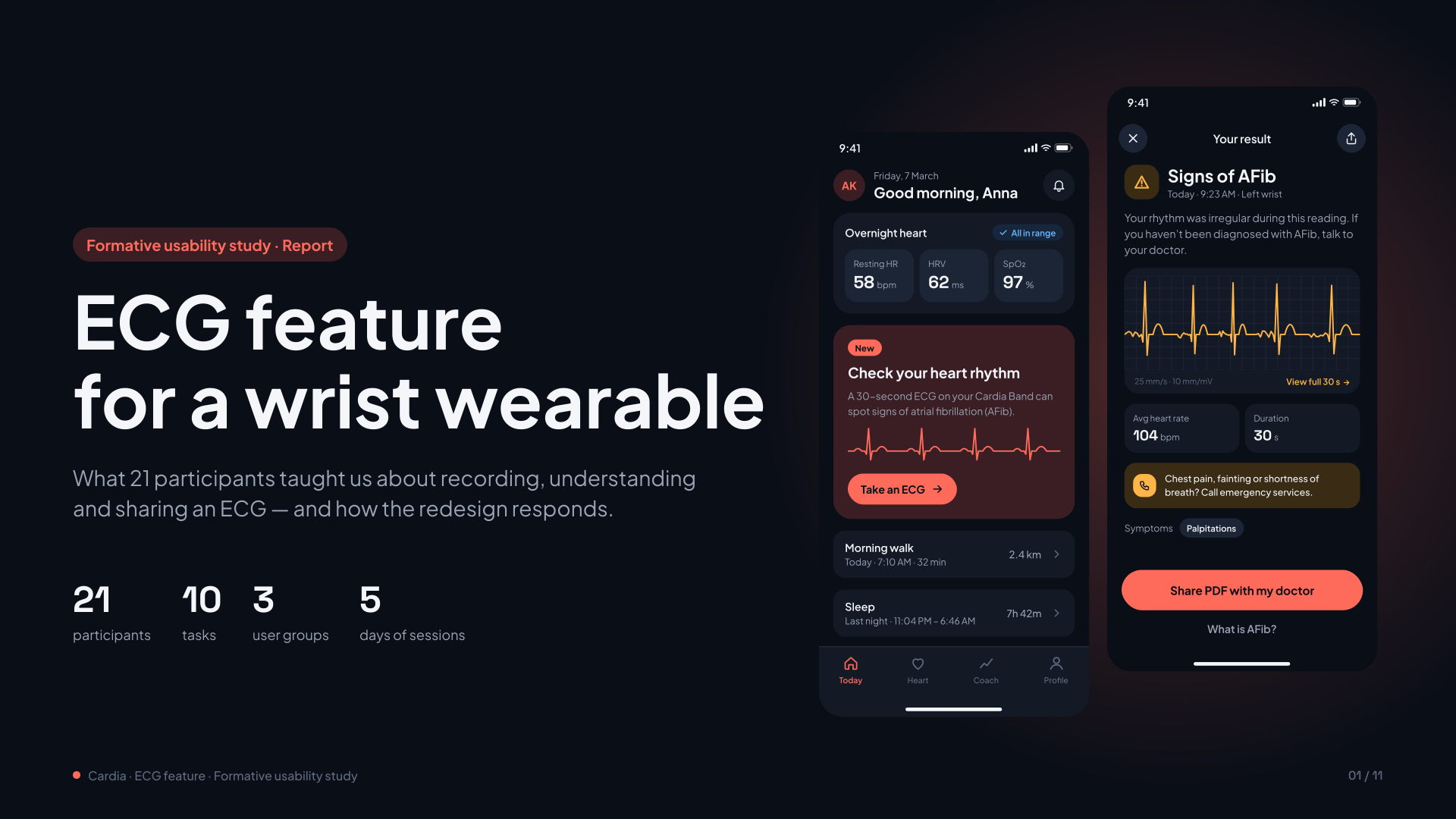
The complete formative study report, from study design and task ratings to findings, participant quotes and the status of every recommendation. Swipe or use the arrows to browse all 11 slides.
1 / 11
08 / Retrospective
What I Learned
Strong recommendations backed by solid evidence are not enough on their own: the harder part is convincing the client to adopt them. We delivered a comprehensive report with detailed visualisations and a 1:1 presentation. Some recommendations were implemented, others were not.
The project ended when the client’s organisation restructured. Even so, the evidence-led approach changed how the team talked about design priorities.