wp.

“We have a great app, but users don’t want to use it”

Mobile App Design Strategy - case study2026

A great device, an app nobody opened

Context

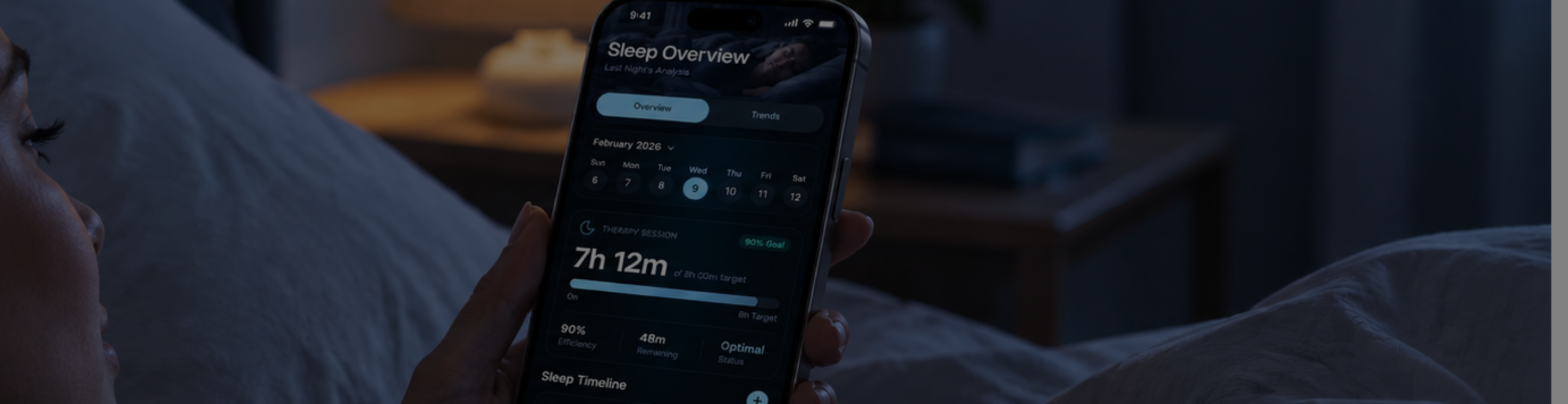
The client, a health-tech company, made a medical device for people managing a chronic sleep-breathing condition. The device itself was excellent — for many patients, genuinely life-changing. The companion app connected to it was not.

Problem

Patients used it rarely: only when required, and sometimes not even then. Several design agencies had already tried to fix it. Each round produced new Figma files exploring new ways to present the data. None of it moved the needle.

The Goal

Create a modern, intuitive, and accessible experience that empowers users to manage wealth proactively while increasing customer support load by 30%.

My Role

By the time we joined, the pattern was obvious: a lot of good-looking work, and no tangible change in behavior. Something upstream of the visuals was broken.

03 / Design process plan

"We need a plan"

What is our role?

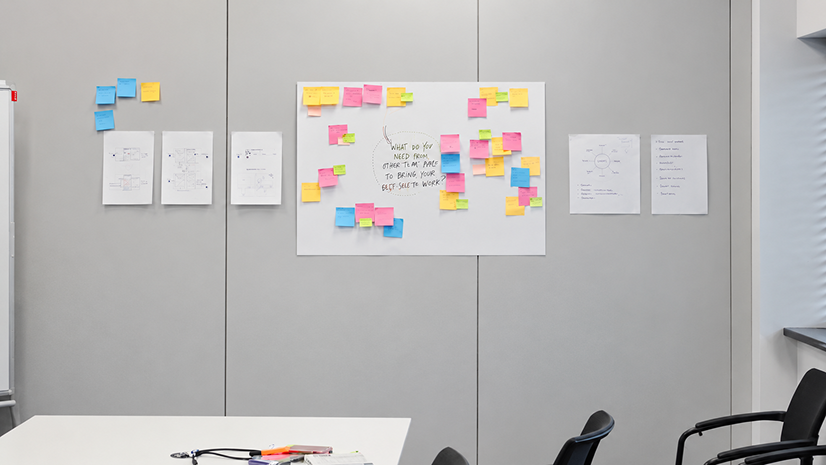
At the beginning of the project, the scope and expectations were not clearly defined. To align on goals and responsibilities, we facilitated a workshop with key stakeholders. This helped us establish a shared understanding of the challenge and define our role in the process. The main takeaway was clear: our task was not to recreate the existing app, but to help the team build a better experience informed by user needs.
04 / We need to know more

Research analysis

The team had already run an initial round of research, asking patients about their current experience and inviting them to weigh in on possible directions. It produced a stack of insights — and a request: turn that into three lo-fi clickable prototypes for the next round of interviews.

"When I open my app, I want to understand my data, so I can start a preventative or corrective measure and stay on top of my health. I want to see it instantly."
— Recurring theme across patient interviews

That single sentence, repeated in different words across dozens of interviews, became the brief’s real north star: instant legibility, not more features.
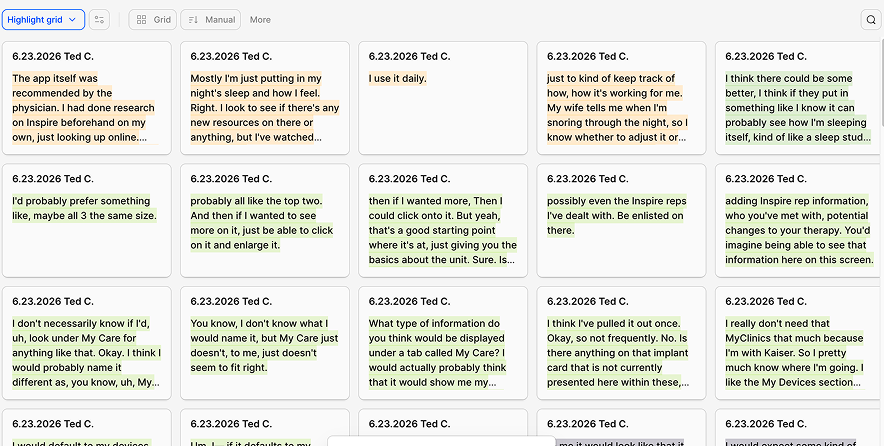
Interview notes board

05 / Proposed strategy & findings

Initial recommendations

Recommendation 1: Home & navigation

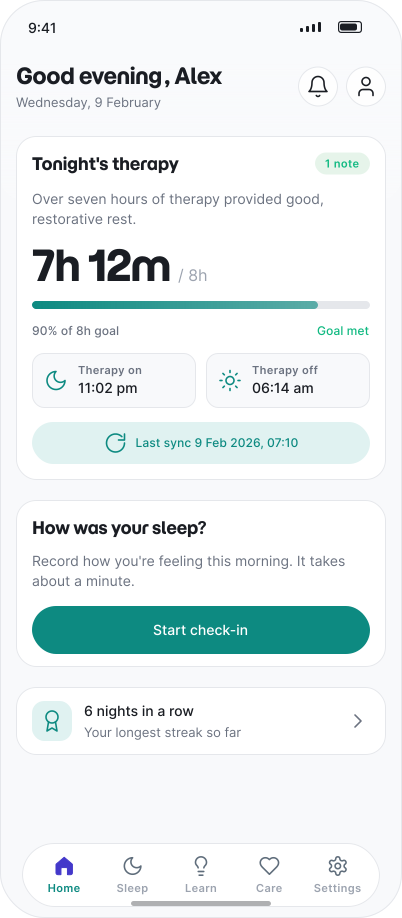
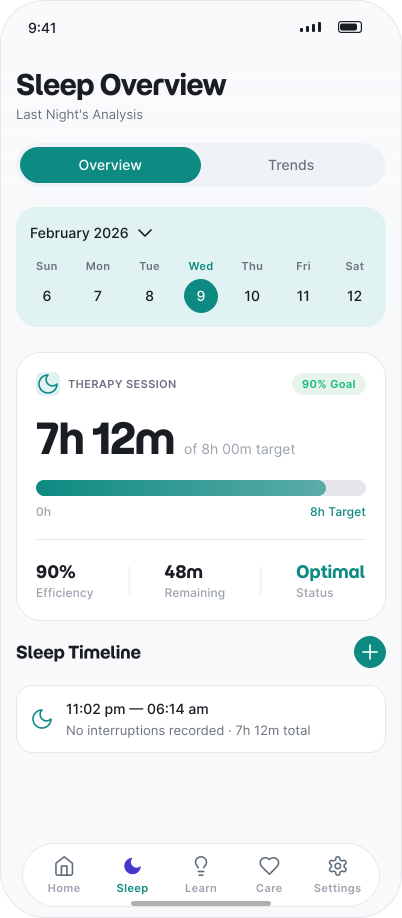
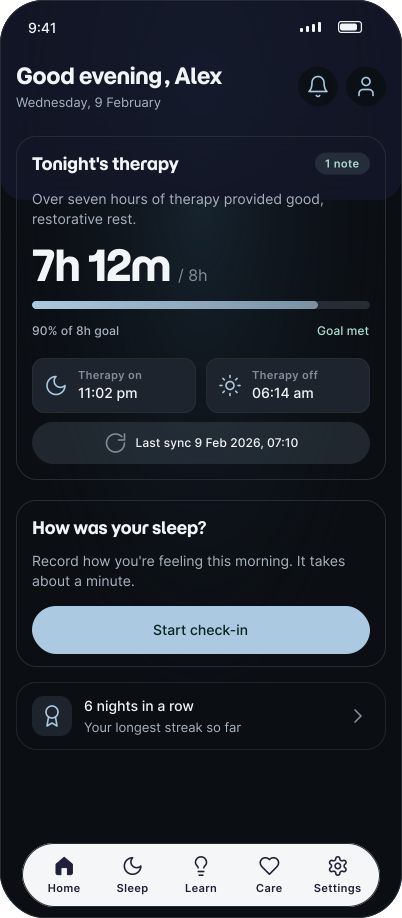
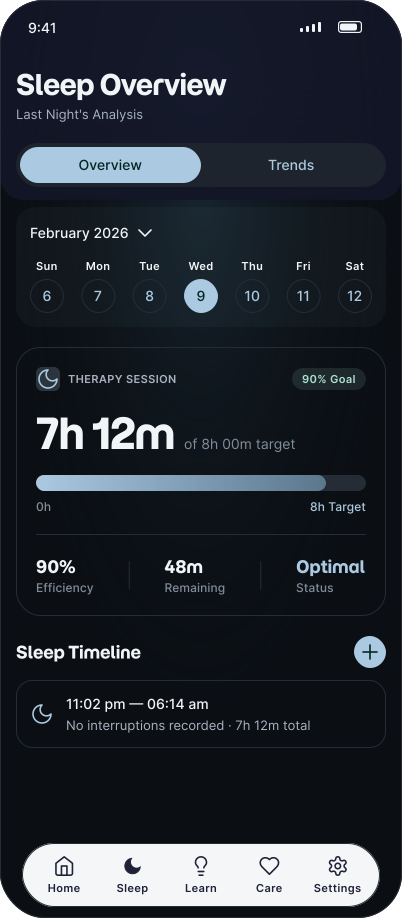
A simple sleep timeline should be the first thing a patient sees on opening the app — reachable from both the Home and Sleep tabs.

Recommendation 2: Insights & feedback

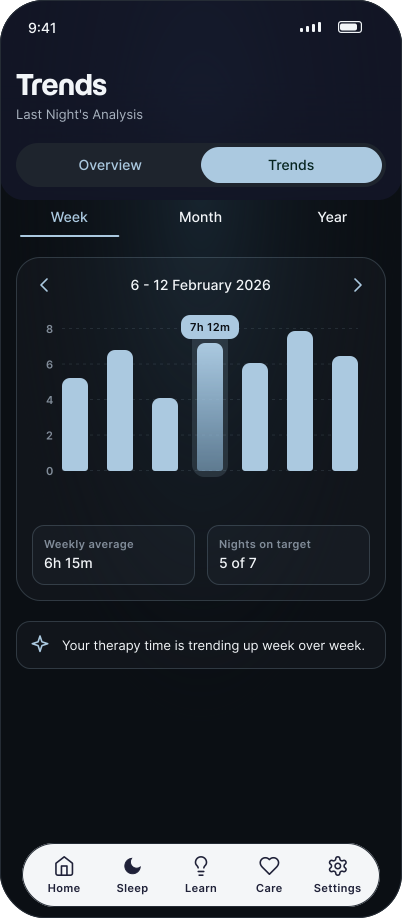
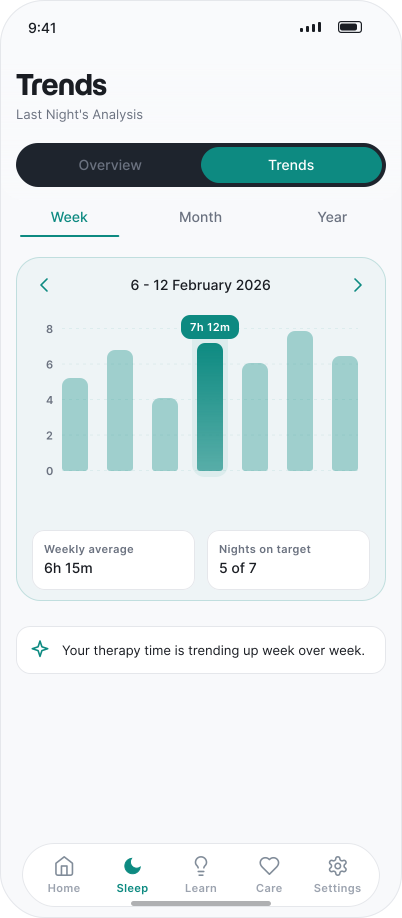
Sleep quality should be understandable at a glance, through one dedicated insights tile rather than a dashboard of charts.

Recommendation 3: Daily health context

Patients should be able to see how last night’s sleep is affecting today, through an interactive impact graph tied to the hours of their day.

Recommendation 4: Device & medical status

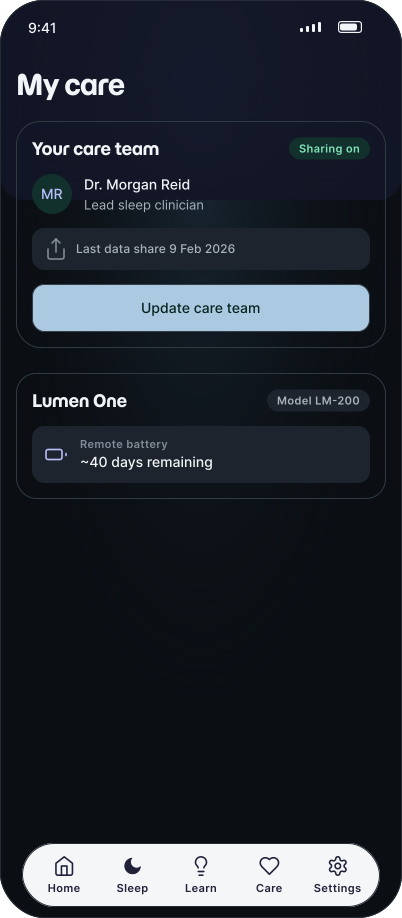
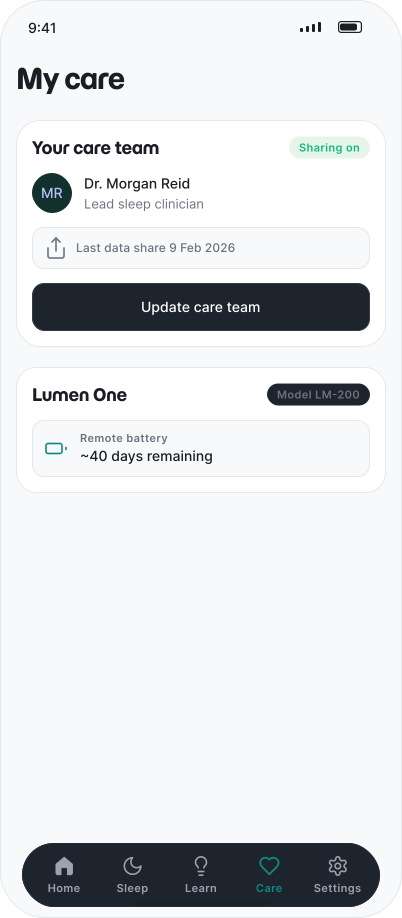
Critical technical and medical information — device status, battery, doctor contact — belongs at the top of the screen, not buried in settings.

06 / Exploration

What patients actually opened the app to see

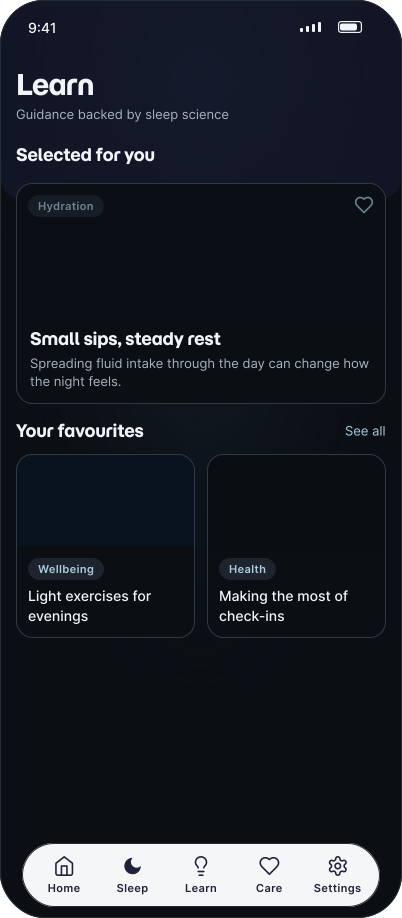
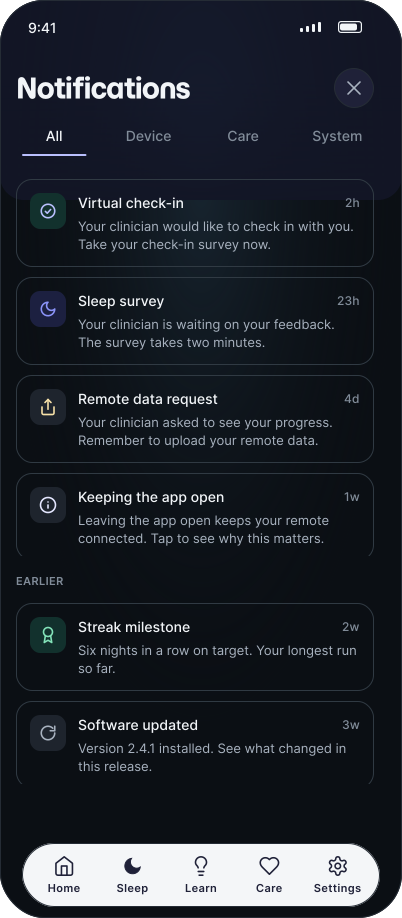
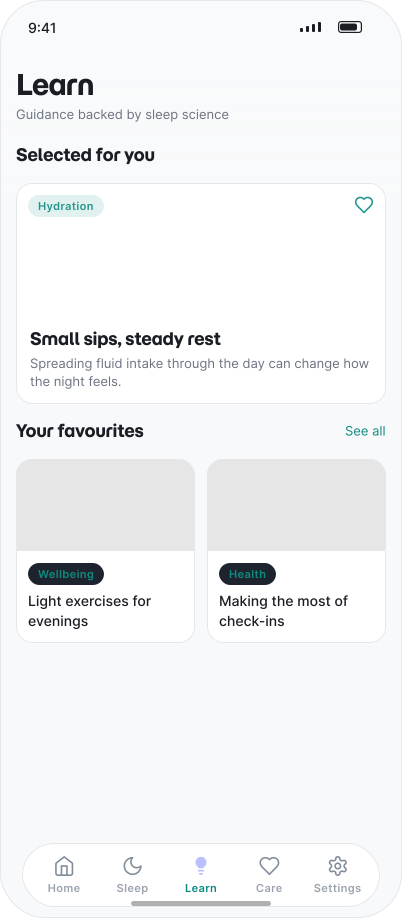
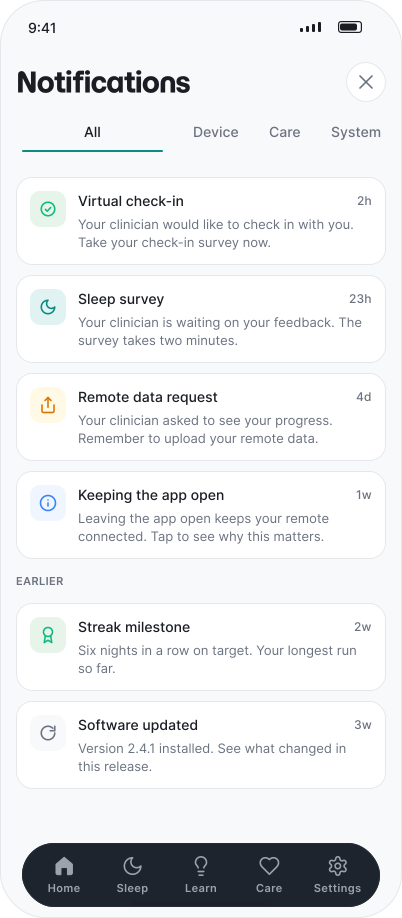
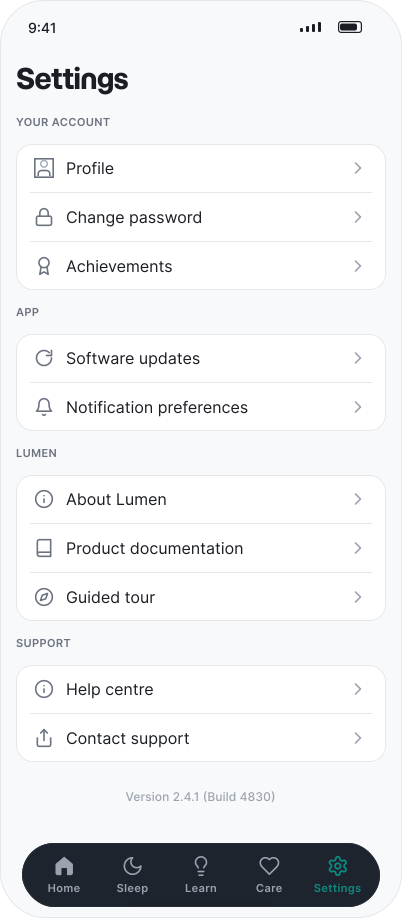
The four principles became the backbone, but a real product needed more than four screens. From first pairing a device to sharing a weekly report with a doctor, every moment was designed around one daily question: how did I sleep, and what should I do about it?

UI components

07 / Highway to... final design

Sitemap

Finally, after lots of conceptual work we managed to create the proposed flow for the app. A diagram that we worked on with the whole client’s team including marketing, developers and designers. Based on the flow, the roadmap was created and the app features were designed and implemented in a sequence.
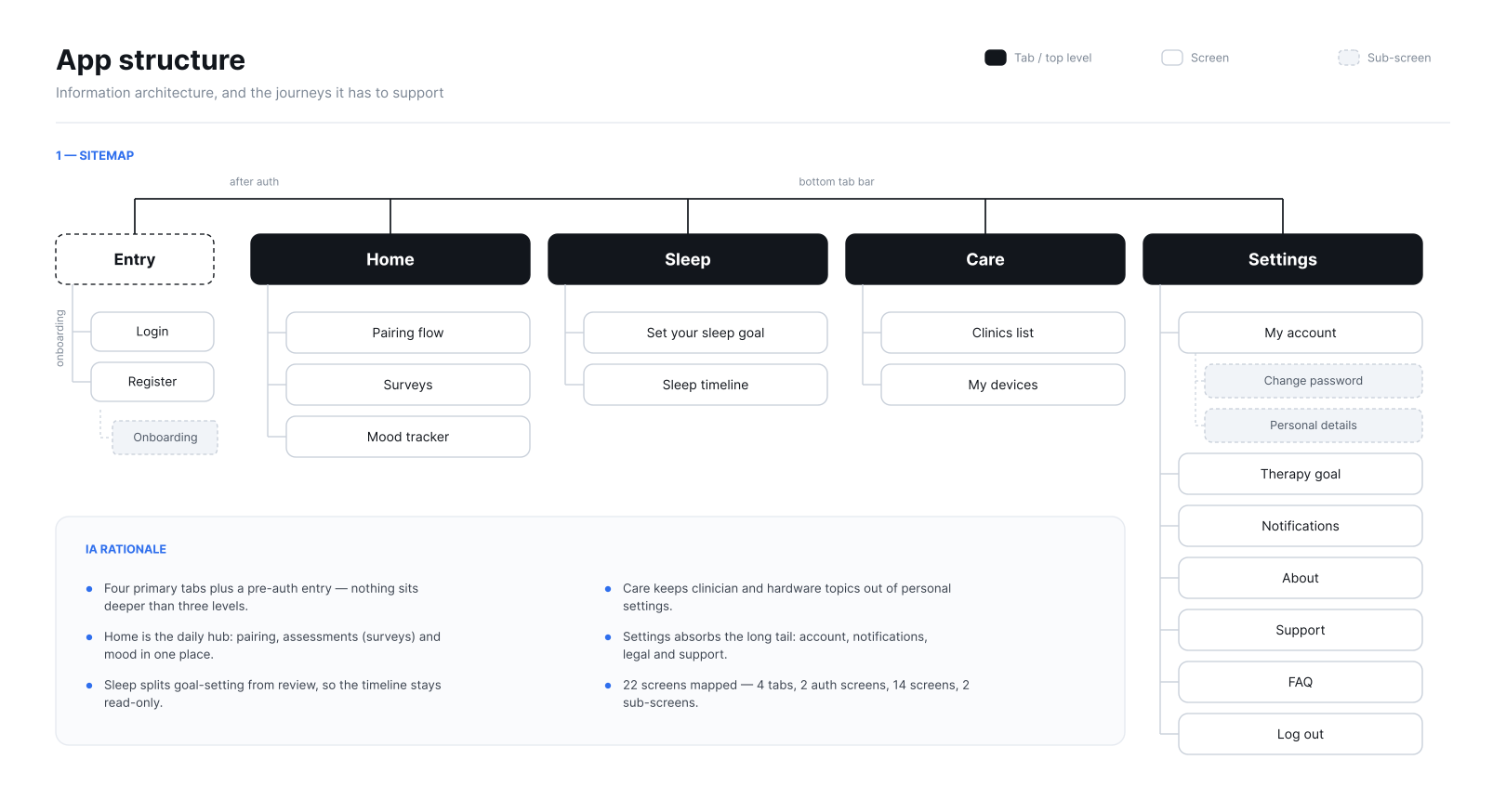
App structure diagram

08 / Proposed strategy & findings

Concepts for interviews

To keep this case study concise, the findings for each round appear in a modal when you select that round.
Now, let’s make use of the full width of this layout ;)

09 / Solution

(almost) Final Design

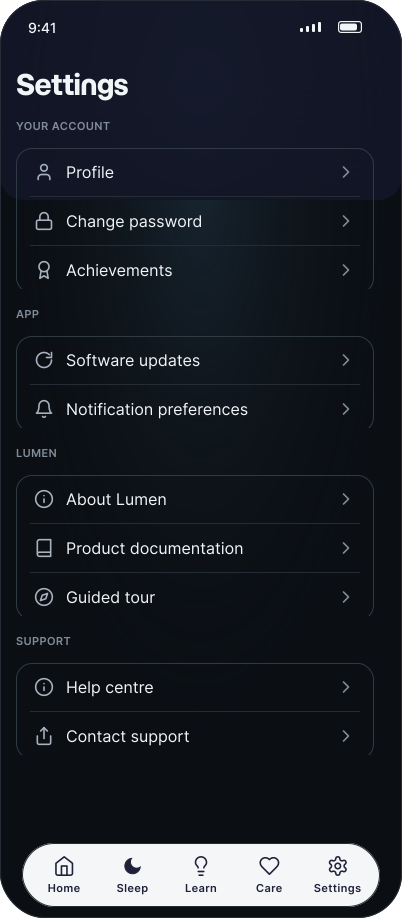
Screen 1Screen 2Screen 3Screen 4Screen 5Screen 6Screen 7

10 / Retrospective

What I Learned

01

be flexible

We designed the entire app without clear requirements, with decisions constantly changing, and eventually the client was impressed — not necessarily because of the visuals, but because of our flexibility.

02

more and more

We delivered hundreds of ideas and kept the client updated twice a week. We adapted, explored different directions, and kept moving the project forward.

03

trust me, i’m a designer

We learned how to manage uncertainty, how to communicate with different types of people, and how to lead a project without having control.

04

we just did it

Most importantly, we learned how to collaborate with people who have completely different working styles — with patience, openness, and respect.

Good research doesn’t guarantee a good outcome. It guarantees a good argument for one.

This project didn’t end with the cleanest possible product — it ended with a shipped one, used more often, by people who needed it to work.

03 / Next steps

Design Process

Well, that’s the official version. If you hover over the step, you’ll see the true story.

  1. 01

    Existing research analysis

    Literature and decks review

    but... Give us some concepts

  2. 02

    Concepts

    Lo-fi draft screens

    yes, but we need about screen for the implementation

  3. 03

    Research Round 1

    User Interviews & Audits

    ok, but we’ll need different concepts than we aasked before.

  4. 04

    Research Round 2

    User Interviews

    ...and pairing flow screens for development

  5. 05

    Iteration

    Mid-fi concepts

    we want to get back to our first idea

  6. 06

    Research Round 3

    Usability tests

    ‘have you considered?” another changes

  7. 07

    Refinement

    Hi-fi screens

    and 3 more clickable prototypes needed

  8. 08

    Final Design

    Screens for implementation

    let’s change the implemented screens

09 / Solution

Screen 1

What was tested?

The first research round focused on understanding how patients wanted to interact with sleep and wellbeing data. We explored different information architecture concepts, ways of presenting insights, and approaches to feature prioritisation.

Information architecture

Understanding where users expect specific information and how content should be organised.

Sleep & wellbeing relationship

Exploring how users want sleep data to be connected with their daily wellbeing and health outcomes.

Feature prioritisation

Identifying which features provide the highest value and should be prioritised.

Information accessibility

Determining what information should be immediately visible and what could be placed deeper.

How was it tested?

Interviews

We conducted qualitative user interviews using prototypes. Participants completed tasks and shared expectations, concerns, and preferences.

The sessions focused on:

  • Information hierarchy preferences
  • Interpretation of sleep insights
  • Relevance of different features
  • Understanding of health-related information
  • Expectations regarding context and personalised recommendations

What did we learn?

Hover a tile to see the design decision it led to.

Insights matter more than visualisation

Users were less concerned with how data was displayed and more interested in understanding what the data meant for their health. They expected the application to provide clear and actionable insights rather than only presenting raw metrics.

Design decision #1

Surface key insights directly on main screens so users don’t have to dig for them

Results are not the primary focus

Participants rarely wanted to see detailed results immediately after opening the application. Instead, they preferred quick summaries that explained the significance of their sleep patterns and highlighted key changes.

Design decision #2

Show sleep results on Home — users want a quick summary right after opening the app

Context creates meaning

Users wanted to understand how sleep quality influenced their daily lives. They expected clear connections between sleep metrics, wellbeing, energy levels, and everyday activities.

Design decision #3

Embed educational articles into the app structure to support habit-building

Critical information should always be visible

Device connectivity, battery status, sensor performance, and access to clinical support were considered high-priority information that should be available directly from the main experience.

Design decision #4

Display device and battery status in the top bar for at-a-glance connectivity info

Personal notes add valuable context

Participants expressed a strong need to annotate their sleep results. They wanted to record factors such as stress, illness, exercise, or lifestyle changes to better understand why a specific night resulted in good or poor sleep quality.

Design decision #5

Add a notes feature for logging sleep observations and daily habits

Trust comes from transparency

Users felt more confident when the application helped explain results instead of simply displaying them. Clear health insights and easy access to support information increased trust in the product and reduced uncertainty.

Design decision #6

Rework insights logic to deliver personalized, contextual recommendations